CapCut
Free AI video editing suite with auto-captions, effects, and TikTok-optimized templates
Gallery
5 items


About CapCut
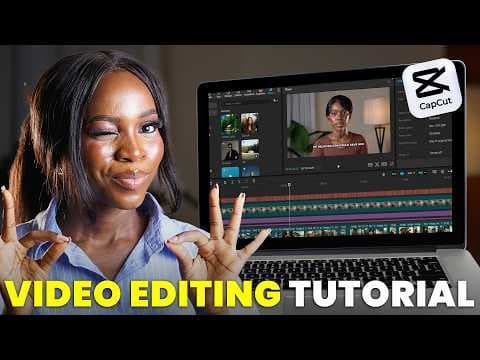
Having edited dozens of viral short-form clips inside CapCut on desktop and mobile, its auto-caption animations, AI cutout masks, and instant audio sync are the fastest in the social video ecosystem. Its seamless TikTok trend integration makes pumping out daily reels effortless. The desktop client occasionally pushes aggressive Pro subscription paywalls on formerly free transitions and effects. At $7.99 to $9.99/month for CapCut Pro, its speed-to-publish ratio makes it an unbeatable toolkit for solo social media creators.
CapCut is a free AI-powered video editing app developed by ByteDance (the company behind TikTok), available on iOS, Android, web, and desktop. Originally launched in China as Jianying in 2019 before its global release as CapCut, it quickly became the most-downloaded video editing app worldwide with over 400 million global users by 2026. CapCut's strategic advantage is its deep integration with TikTok's trends, effects, and templates, making it the default video editing tool for TikTok creators worldwide.
CapCut's AI features include auto-captions (fast, accurate automatic subtitle generation in multiple languages), AI noise removal, AI background removal, AI color enhancement, text-to-video (generate videos from scripts), auto-reframe (resize any video for any platform), AI-generated B-roll, and hundreds of trending effects and templates. For marketers, CapCut's commercial use license (Teams and Business plans) enables brand-consistent content production at scale, and its commercial stock library provides licensed footage and music. Despite concerns about ByteDance's data handling (similar to Trae IDE), CapCut remains the most widely-used video editing tool among social media marketers globally due to its free, feature-rich mobile experience.
Key Features
- Auto-captions — accurate automatic subtitle generation in multiple languages with styled caption templates for TikTok, Reels, and Shorts
- AI noise removal — one-click audio cleanup removes background noise and echo from video recordings
- Text-to-video — generate video clips from script text with AI avatars or stock footage assembly
- Auto-reframe — automatically resize and reframe any video for different platforms (9:16, 16:9, 1:1, 4:5)
- AI background removal — remove or replace video backgrounds without a green screen
- Trending templates and effects — access trending TikTok effects, transitions, and templates directly from the app
- Commercial stock library — licensed stock footage, music, and sound effects for commercial marketing content production
- Multi-platform availability — iOS, Android, web browser, Windows, and macOS with project sync across devices
Pros
- Completely free with professional-quality features — the most generous free tier in AI video editing by a wide margin
- 400 million+ users globally — the most widely used video editing app worldwide, especially among social media creators
- Deep TikTok integration gives CapCut users first access to trending effects, templates, and algorithms
- Auto-captions are fast and accurate across multiple languages with beautiful styled templates
- Available on iOS, Android, web, and desktop with seamless cross-device sync
- Commercial license on Teams/Business plans enables brand-safe marketing content production
Cons
- ByteDance ownership raises data privacy concerns — CapCut has faced regulatory scrutiny in the US and EU over data handling
- US-based federal government contractors and regulated industries should avoid CapCut due to geopolitical risk
- Heavy AI features on mobile can lag on older devices with large video files
- Less suitable than Opus Clip for podcast/webinar-to-clip workflows — lacks AI clip selection from long videos
- Commercial stock library quality is lower than iStock or Shutterstock used in InVideo AI or Descript
- Pro features (including most AI tools beyond basic editing) require Pro ($7.99) or Business ($19.99) subscriptions
Pricing
Free: full editing suite, basic AI features, trending effects and templates, mobile and web access. Pro ($7.99/month): premium AI features, commercial stock footage and music, no CapCut watermark, 100GB cloud storage. Business ($19.99/seat/month): team collaboration, brand kit, multiple workspaces, commercial license for all assets, priority support. Annual billing available at a discount.
Claim Verified Creator Badge
Are you the founder of CapCut? Display this listing's verified badge on your website to show your customers that your product has been vetted and listed on AI Central Resources.
<a href="https://www.aicentralresources.com/tool/capcut" target="_blank" rel="noopener">
  <img src="https://www.aicentralresources.com/badges/featured-badge-dark.svg" alt="Featured on AICentralResources" width="200" height="54" style="border: none;" />
</a>
* Place this HTML snippet in your website's footer, landing page, or press section. This creates a search-friendly backlink directly to your verification page.
Connect with CapCut
Frequently Asked Questions
Yes. CapCut's free plan includes access to most editing features, effects, templates, and basic AI tools (auto-captions, background removal) on mobile and web. The Pro plan ($7.99/month) adds premium AI features, commercial stock content, and removes branding. Business ($19.99/seat/month) adds team collaboration, brand kit, and full commercial licensing.
CapCut is made by ByteDance (TikTok's parent company) and has faced data privacy scrutiny in the US and EU. For individual creators and commercial marketers in most countries, it's widely used and generally safe. Organizations with strict data governance policies, US federal contractors, or businesses in regulated industries should review ByteDance's data handling policies before using CapCut for commercial content.
Similar AI Tools to CapCut
View all alternatives of CapCut
Canva AI
Your all-in-one AI assistant for creative design and content generation

Chatfuel
AI social media sales agent that handles clients, bookings, ads, and strategy — autonomously, 24/7


HeyGen
Transform ideas into stunning AI videos with realistic avatars and multi-language support.


Compared with CapCut
Direct head-to-head feature matrices, pricing breakdowns, and real-world performance benchmarks