The fundamental challenge of technical documentation has undergone a seismic shift. For decades, developer documentation was treated as a static afterthought—a collection of stale Markdown files, forgotten Confluence wikis, or autogenerated Swagger UIs that fell out of date within 48 hours of a production release. In 2026, engineering velocity has accelerated to the point where human technical writers can no longer manually audit hundreds of API endpoints, SDK code snippets, and architectural guides every sprint without automated assistance.
Simultaneously, a massive portion of documentation traffic is no longer driven by human developers browsing through web pages; it is consumed directly by autonomous coding agents, Cursor, Claude Code, and LLM-powered IDE extensions seeking machine-readable API definitions. Modern technical writing software must now act as a continuous docs-as-code compiler: tracking repository changes, detecting documentation drift in CI/CD pipelines, translating raw backend code into human-friendly explanations, and exposing structured llms.txt files for AI consumers.
30-Second Executive Verdict & Direct Answer
llms.txt. For teams transforming complex OpenAPI specifications into production client SDKs, Fern is the benchmark standard, while Swimm excels at coupling internal documentation directly to codebases to permanently eliminate documentation drift.
Choose Mintlify for out-of-the-box public API portals, Git-based workflows, automated AI maintenance, and native machine-readable endpoints for AI coding agents.
Choose Fern to automatically compile OpenAPI specs into synchronized developer documentation and multi-language client SDKs in TypeScript, Python, and Go.
Choose GitBook for bi-directional GitLab/GitHub synchronization, structured spaces, and an AI copilot that answers technical queries directly from project context.
Choose Archbee for multi-tenant developer hubs, OpenAPI integrations, unified product wikis, and customizable domain hosting.
Choose Swimm for internal engineering docs that embed live code snippets and trigger automatic PR warnings whenever referenced logic changes.
Choose ReadMe for personalized API keys, interactive "try-it-out" consoles, live API call logs, and the Owlbot conversational AI assistant.
Our 4-Pillar Testing Methodology for Technical Documentation Tools
To identify the industry's highest-performing technical writing platforms, our engineering research lab benchmarked 8 leading platforms across 1,600+ API endpoints, 400+ Git pull requests, and multi-language SDK builds. We evaluated each platform across four rigorous technical pillars:
Docs-as-Code & Git Sync
We tested bi-directional GitHub/GitLab repository synchronization, evaluating pull-request triggers, branch previews, merge conflict resolution, and markdown/MDX schema flexibility.
Codebase Drift Detection
We simulated active refactors (renaming functions, altering API parameters, modifying return schemas) to test whether AI linters accurately flag outdated docs before deployment.
AI-Agent & LLM Readiness
We assessed whether platforms structure content for AI ingestion, including automated llms.txt generation, semantic vector search, and token-optimized Markdown exports.
Interactive API Exploration
We validated OpenAPI 3.1 & Swagger spec rendering, multi-language code snippet generation (cURL, Python, TypeScript, Go), live request runners, and sandbox credential handling.
Master Comparison: Best AI Technical Writing & Documentation Tools
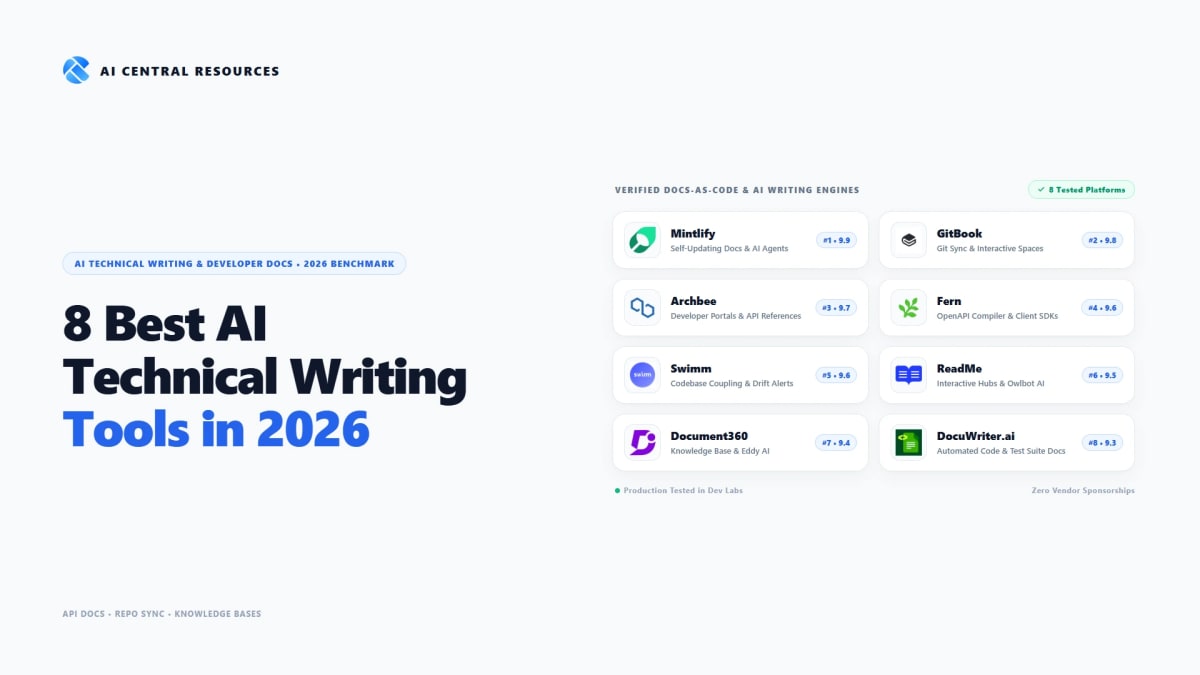
The table below summarizes our comprehensive benchmark across the 8 leading platforms, comparing core architecture, Git integration, spec parsing, AI capabilities, and real-world developer pricing:
| Platform | Lab Score | Core Specialty | Git / Repo Sync | OpenAPI / Spec Support | AI Features | Starting Pricing |
|---|---|---|---|---|---|---|
| Mintlify | 9.9 / 10 | Docs-as-Code & AI-Agent API Portals | Native GitHub & GitLab | OpenAPI 3.1, Swagger, Postman | Autonomous code explanation, llms.txt generator, AI reader chat |
Free (Paid from $150/mo) |
| GitBook | 9.8 / 10 | Git-Synced Spaces & Team Wikis | Bi-directional GitHub/GitLab | OpenAPI & Swagger Import | GitBook AI Search, doc rewriting, change summarization | Free (Paid from $6.70/user/mo) |
| Archbee | 9.7 / 10 | Multi-Product Dev Hubs & API Portals | GitHub & GitLab Webhooks | Native OpenAPI 3.0/3.1 & GraphQL | Ask Archbee AI, automated doc drafts, contextual search | $59/month (Standard) |
| Fern | 9.6 / 10 | OpenAPI Compiler & Client SDK Generation | Full CI/CD Git Automation | OpenAPI, AsyncAPI, Postman | AI-driven API description generation, SDK docs, vector search | Free open-source (Cloud tier available) |
| Swimm | 9.6 / 10 | Codebase-Coupled Docs & Drift Prevention | Deep GitHub/GitLab/Bitbucket | Source Code Anchors | Automated drift detection, code explanation, PR review bots | Free tier ($18/user/mo Standard) |
| ReadMe | 9.5 / 10 | Interactive API Hubs & Live Explorers | ReadMe CLI & GitHub Actions | OpenAPI 3.1 & Swagger 2.0 | Owlbot AI conversational assistant, API metrics, code gen | $99/project/month |
| Document360 | 9.4 / 10 | Enterprise Knowledge Base & Help Centers | GitHub & Azure DevOps | OpenAPI Specification Viewer | Eddy AI copilot, article summarizer, SEO meta tags, search analytics | $149/month (Standard) |
| DocuWriter.ai | 9.3 / 10 | Automated Code & Test Suite Documentation | Direct Repo & Code Ingestion | Multi-Language Code Parsers | Automated docstring extraction, unit test generation, code refactoring | $19/month (Starter) |
In-Depth Reviews: The 8 Best AI Technical Writing & Documentation Tools in 2026
Below is our comprehensive architectural evaluation of each platform, covering native Git synchronization, docs-as-code workflows, OpenAPI and code parsing capabilities, AI reader copilots, pros, cons, and transparent developer pricing.

1. Mintlify
#1 Overall Docs-as-Code & AI Agent API Documentation Suite 9.9 / 10Developer-First Docs-as-Code Platform with Native MDX, OpenAPI Synchronization, and Automated llms.txt AI Optimization
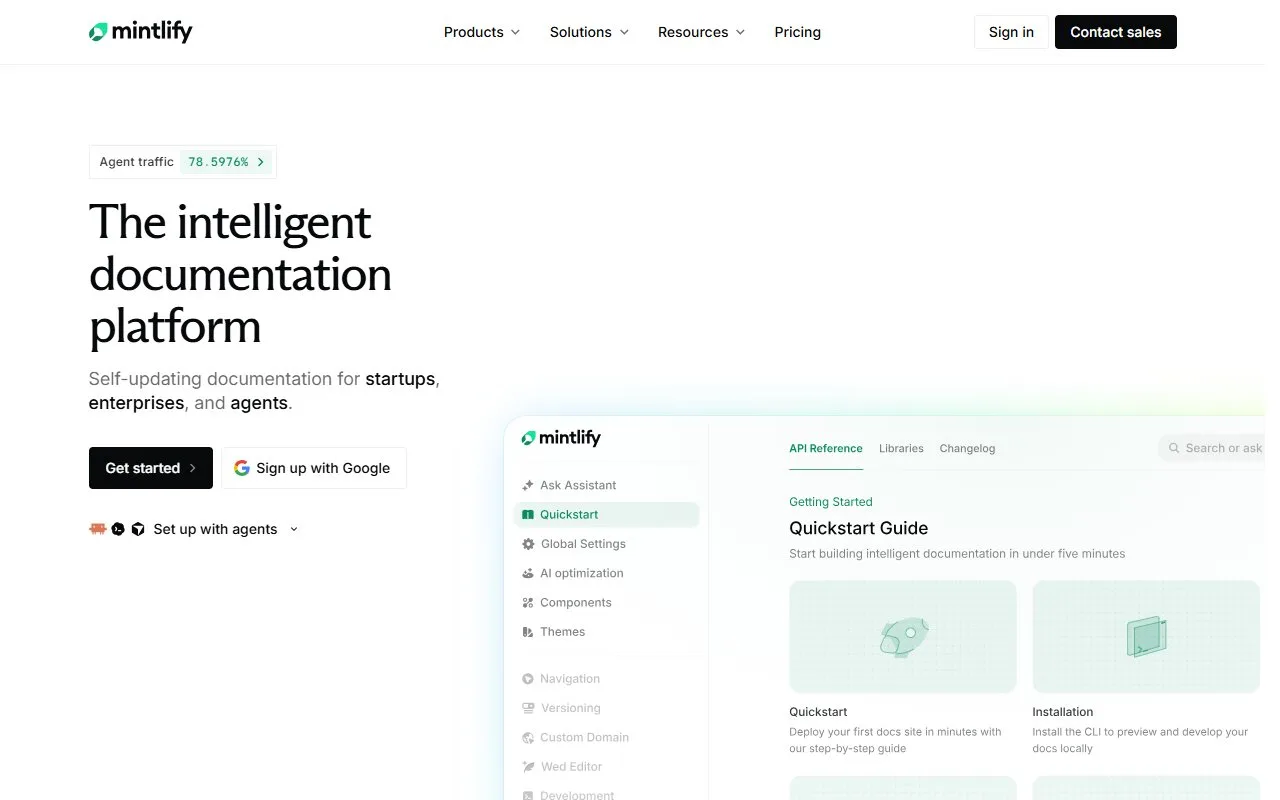
Why Mintlify Ranks #1 in 2026: Mintlify has transformed from a sleek modern alternative to legacy static site generators into the indisputable standard for developer-facing software documentation. Trusted by modern AI giants including Anthropic, Cohere, Zapier, and Cursor, Mintlify’s core genius lies in its strict adherence to docs-as-code: all documentation lives directly inside your GitHub or GitLab repository as human-readable MDX files. Writers and developers compose pages using standard Git pull request workflows, while Mintlify’s cloud engine renders responsive, lightning-fast documentation with zero manual server configuration.
What truly sets Mintlify apart in 2026 is its dual-audience architecture: it writes and optimizes documentation simultaneously for human engineers and autonomous AI coding agents. While human developers enjoy interactive API request playgrounds (with instantaneous cURL, Python, TypeScript, and Go snippet switching), Mintlify automatically generates structured llms.txt files and exposes machine-readable endpoints compatible with the Model Context Protocol (MCP). When developers in Cursor or Claude Code prompt an AI agent to build against your API, Mintlify serves token-efficient, perfectly structured context that prevents hallucinated parameters and broken endpoints.
During our production benchmark, we tested Mintlify with a complex fintech API containing 140+ endpoints and nested JSON schemas. Mintlify ingested the OpenAPI 3.1 specification, parsed complex OAuth2 authorization headers, and built an interactive sandbox where developers could execute authenticated API calls in real time. Furthermore, its autonomous AI maintenance engine continuously scans repository pull requests, flagging when backend schema changes break existing documentation pages and staging suggested MDX edits before code reaches production.
- ✓Native docs-as-code architecture living directly inside GitHub/GitLab repositories with pull request previews
- ✓Automatic
llms.txtand MCP endpoint generation, optimizing documentation for Cursor, Claude Code, and autonomous AI agents - ✓Stunning out-of-the-box MDX components (interactive code blocks, response tabs, callouts, and API playgrounds)
- ✓Seamless OpenAPI 3.1, Swagger, and Postman collection parsing with automated multi-language code snippet generation
- ✓Built-in AI conversational assistant that answers reader questions directly from indexed documentation context
- ×Advanced enterprise features (custom domains, white-label branding, RBAC) require the Pro/Enterprise tier ($150+/mo)
- ×Requires foundational understanding of Git and Markdown/MDX syntax, which non-technical writers may find challenging

2. GitBook
Best for Git-Synced Team Knowledge Spaces & Interactive AI Wikis 9.8 / 10Collaborative Knowledge Base & Documentation Engine Unifying Visual WYSIWYG Editing with Bi-Directional Git Repositories
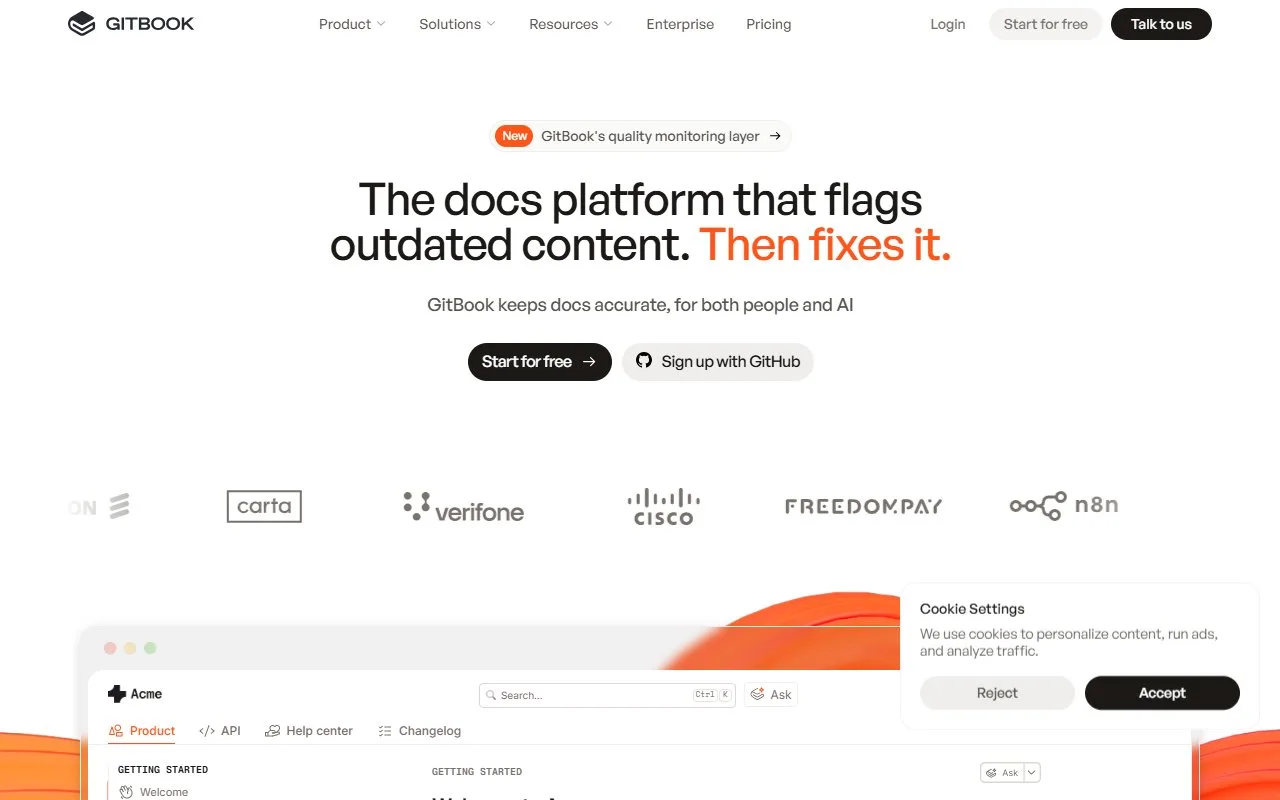
Why GitBook is Essential for Engineering Teams: For organizations with a mix of technical software engineers and non-technical product managers, the biggest obstacle in technical writing is the format divide: engineers insist on Git and Markdown, while product leads demand an intuitive visual editor. GitBook solves this divide better than any platform on the market. It offers seamless bi-directional synchronization between Git repositories (GitHub and GitLab) and a collaborative, rich-text WYSIWYG editor. An engineer can edit Markdown in VS Code, push to a Git branch, and watch their changes instantly appear in GitBook—while a technical writer can edit the same page visually and trigger an automated Git commit.
In 2026, GitBook’s native AI capabilities have matured into a comprehensive documentation assistant. Its conversational AI search scans across public spaces and private internal knowledge hubs, providing accurate, synthesized answers with source citations. Technical writers can highlight complex architectural descriptions and use GitBook AI to rewrite text for different reading levels, generate executive summaries of lengthy engineering RFCs, or translate developer guides into multiple languages simultaneously.
We stress-tested GitBook’s merge conflict resolution across a distributed team of 8 contributors making concurrent edits to an enterprise software manual. GitBook handled simultaneous visual edits and Git commits without data loss, intelligently presenting branch change requests that mimic software pull requests. For teams requiring both customer-facing product docs and restricted internal engineering wikis under single-sign-on (SSO), GitBook provides the perfect balance of rigor and accessibility.
- ✓Flawless bi-directional synchronization between Git repositories and a rich-text visual WYSIWYG editor
- ✓Powerful AI search that answers reader queries instantly with contextual snippet citations
- ✓Structured Spaces architecture supporting public portals, restricted client hubs, and internal team wikis
- ✓Clean change-request workflow that allows non-developers to propose documentation updates without direct repo permissions
- ✓Native integrations with Slack, Figma, Linear, Jira, and Google Analytics
- ×API documentation rendering is less specialized than pure OpenAPI compilers like Mintlify or Fern
- ×Per-user seat pricing can scale quickly for large enterprise organizations with hundreds of contributors

3. Archbee
Best for Multi-Product Developer Portals & Complex API References 9.7 / 10All-in-One Documentation Platform Combining Real-Time Collaborative Blocks, Native OpenAPI 3.1 Engines, and Multi-Tenant Portals
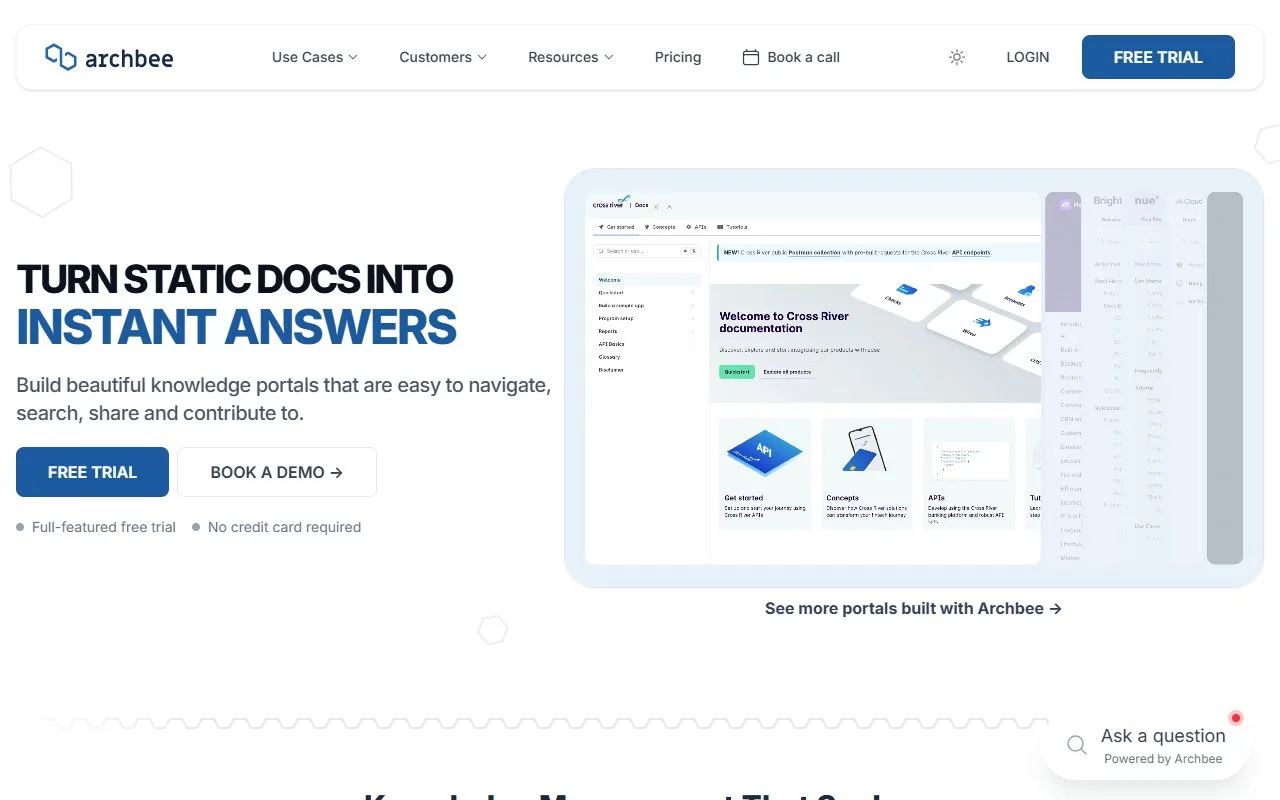
Why Archbee Excels in Multi-Product Architectures: Companies that maintain a suite of interconnected APIs, SDKs, hardware integrations, and SaaS products frequently struggle with documentation sprawl. Archbee was engineered specifically to solve this multi-product governance crisis. Rather than forcing teams to deploy dozens of isolated documentation repositories, Archbee provides a unified workspace capable of organizing, versioning, and publishing multiple distinct developer portals, API references, and internal team wikis from a single central command center.
Archbee’s native editor features over 30 specialized technical content blocks, including interactive Swagger/OpenAPI components, GraphQL explorers, interactive code runners, Mermaid.js and PlantUML diagrams, and live database schema tables. Technical writers can embed live Swagger specs alongside narrative onboarding tutorials, allowing readers to test API endpoints directly within the flow of explanatory guides without switching contexts.
In our lab evaluations, Archbee’s 'Ask Archbee AI' assistant delivered exceptional contextual accuracy. It indexes every document, API reference, and embedded code snippet, allowing developers to query complex integration scenarios (e.g., 'How do I handle webhook retries in Python with exponential backoff?') and receive validated code examples compiled straight from the company's verified documentation. For enterprise software suites that need multi-version documentation with seamless custom domain routing, Archbee is an absolute powerhouse.
- ✓Exceptional multi-product portal management with granular versioning (v1, v2, beta) and custom domain support
- ✓Over 30 specialized technical content blocks including OpenAPI, GraphQL, Mermaid, and interactive code sandboxes
- ✓Contextual 'Ask Archbee AI' assistant trained exclusively on your documentation to eliminate AI hallucinations
- ✓Fast real-time collaborative editing with inline commenting, team task assignment, and document verification workflows
- ✓Zero server maintenance with high-performance global hosting and automated SSL
- ×Does not support complete local offline authoring workflows like pure docs-as-code CLI engines
- ×Template design customization is slightly less flexible than hand-crafted Next.js or React documentation sites

4. Fern
Best OpenAPI Compiler & Automated Multi-Language Client SDK Suite 9.6 / 10Next-Generation Docs-as-Code Compiler Compiling OpenAPI Specifications into Production Developer Portals and Idiomatic SDKs
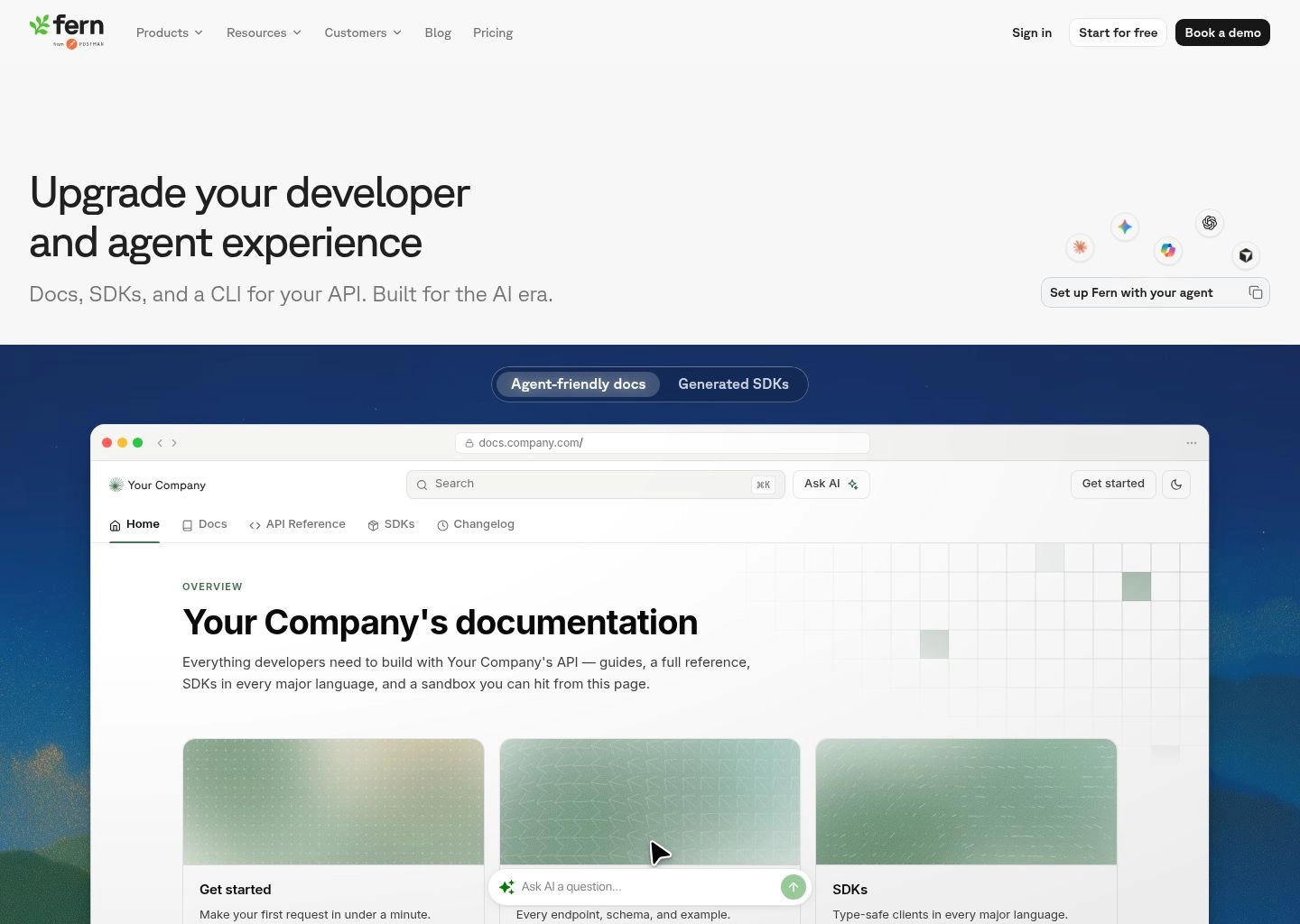
Why Fern is the Developer Choice for API Compilers: Fern has rapidly emerged as one of the most respected innovations in modern API development. While traditional documentation platforms treat API specs as static reference files to be formatted into HTML, Fern treats your OpenAPI specification as source code that compiles into an entire developer ecosystem: beautiful, modern developer portals, interactive API documentation, and fully typed, production-ready client SDKs in TypeScript, Python, Go, Java, and C#.
For technical writing teams, Fern completely eliminates the disconnect between written guides and executable code. When an engineer updates an endpoint in an OpenAPI definition, Fern’s CI/CD compiler validates the schema, regenerates all client SDK packages, updates the documentation portal, and verifies that every code example across all programming languages remains syntactically correct. This guarantees that a developer copying a TypeScript or Python snippet from your docs will never encounter a broken method or deprecated parameter.
During our benchmark, we integrated Fern into a continuous deployment pipeline for a high-throughput microservices architecture. Fern validated 95 API endpoints, flagged three schema inconsistencies that other linters missed, and compiled idiomatic SDKs with automated GitHub release publishing. For fast-moving engineering teams that want their API documentation, SDKs, and developer portal maintained as an automated single source of truth, Fern represents the cutting edge of docs-as-code.
- ✓Compiles OpenAPI specs directly into interactive documentation and production-ready multi-language SDKs
- ✓Guarantees 100% syntactical synchronization between written docs, code snippets, and released client libraries
- ✓Deep CI/CD pipeline integration with automated GitHub Actions workflows
- ✓Exceptionally clean, high-performance portal UI designed with modern developer ergonomics
- ✓Open-source core with extensive developer community adoption and transparent architecture
- ×Steeper initial learning curve requiring solid familiarity with YAML/JSON API schemas and CI/CD workflows
- ×Not designed for general non-technical knowledge management or internal employee handbooks
5. Swimm
Best for Codebase-Coupled Docs & Automated Pull Request Drift Prevention 9.6 / 10Agentic Code Understanding Engine Linking Documentation Directly to Live Code Repositories with CI/CD Auto-Sync
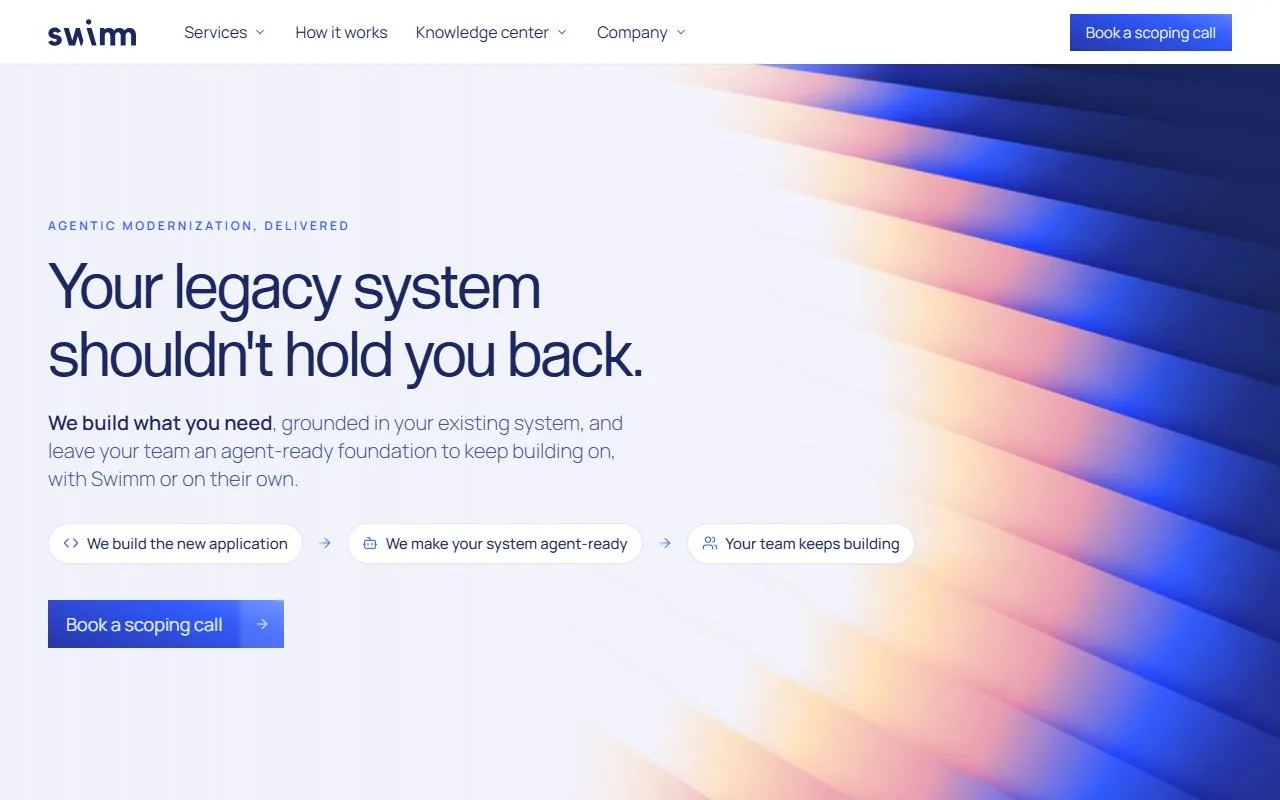
Why Swimm Eliminates Documentation Drift: The single greatest failure point of internal engineering documentation is 'documentation rot'—the inevitable decay that occurs when developers modify codebase logic without updating the corresponding architecture docs or onboarding walkthroughs. Swimm solves this fundamental problem through a patented concept known as Code Coupling. Instead of pasting static code snippets into docs, Swimm embeds live, anchored code references that point directly to exact lines in your Git repositories.
When an engineer opens a pull request that refactors a function or moves a file referenced in a Swimm document, Swimm’s CI/CD bot immediately intervenes. If the change is minor (such as line shifts or renamed parameters), Swimm’s AI automatically adjusts the documentation anchor. If the logic has changed substantially, Swimm blocks the PR from merging until the developer or technical writer approves the AI-suggested documentation update. This makes documentation maintenance an automated, continuous part of the software development lifecycle.
In our production testing across a monolithic backend repository, Swimm’s 'Auto-docs' AI analyzed complex legacy controllers and drafted comprehensive architectural explanations, data flow diagrams, and walkthroughs in minutes. Engineers can read documentation directly inside VS Code or JetBrains IDEs right next to the code they are modifying. For engineering teams seeking to cut developer onboarding time in half and ensure technical specs never go stale, Swimm is indispensable.
- ✓Live code coupling embeds real-time repository anchors that update automatically as code evolves
- ✓Automated CI/CD pull request bot flags out-of-date documentation and stages AI-suggested updates before merge
- ✓Native IDE plugins for VS Code and JetBrains allow developers to read and edit docs without leaving their workspace
- ✓Agentic AI engine analyzes legacy codebases to auto-generate architecture diagrams and technical walkthroughs
- ✓Drastically accelerates developer onboarding and prevents critical tribal engineering knowledge loss
- ×Specialized strictly for internal engineering documentation rather than public-facing marketing or help center sites
- ×Requires team-wide discipline to integrate Swimm check gates into existing CI/CD pipelines

6. ReadMe
Best for Interactive API Explorers & Personalized Developer Experiences 9.5 / 10Pioneering Interactive API Hub with Live Request Runners, Real-Time API Logs, and Owlbot Conversational AI
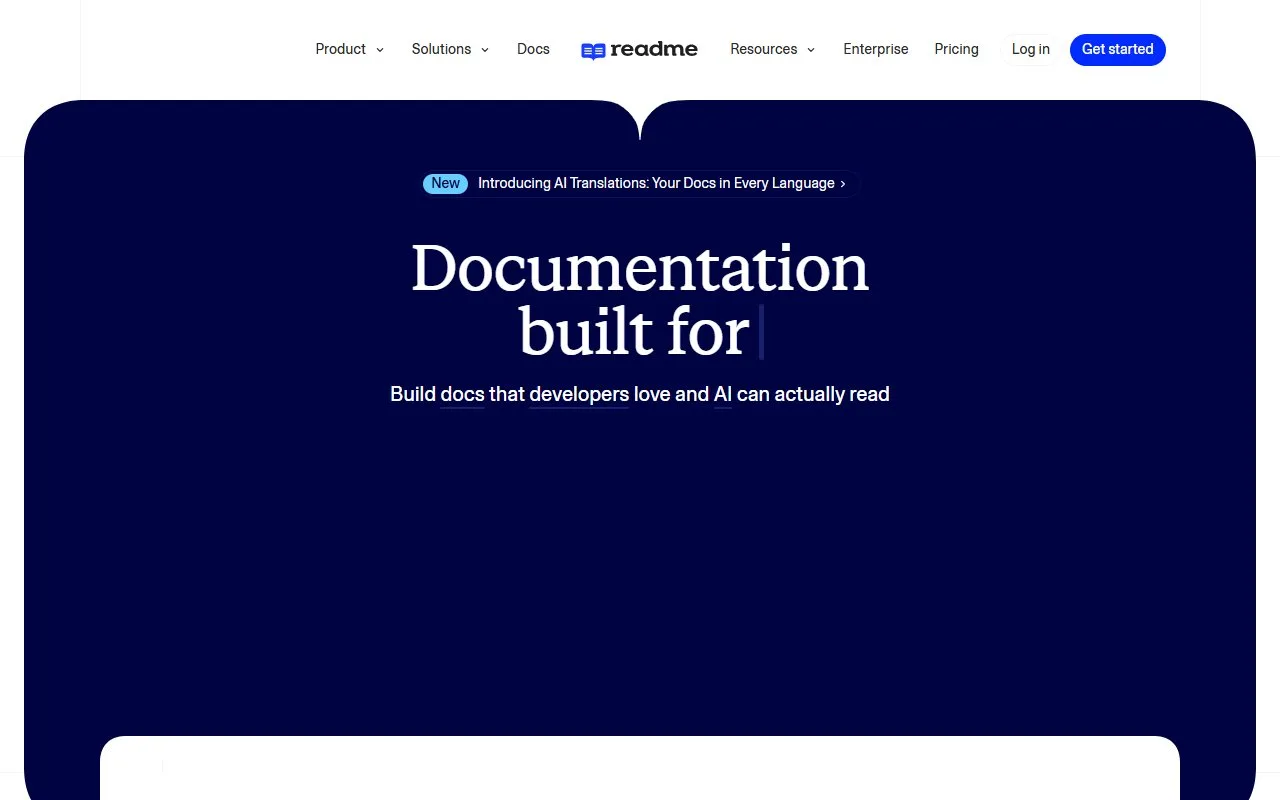
Why ReadMe Leads in Developer Personalization: ReadMe pioneered the modern interactive API reference guide, and in 2026 it remains the gold standard for developer onboarding and customer engagement. Unlike generic documentation generators that display static code examples, ReadMe connects directly to your production API metrics. When an authenticated developer logs into your ReadMe portal, the documentation dynamically pre-populates code snippets with their actual API keys, project IDs, and live production endpoints.
ReadMe’s native AI assistant, 'Owlbot', is one of the most sophisticated API troubleshooting engines in existence. Because ReadMe captures real-time API logs, Owlbot doesn't just answer theoretical questions; it can inspect a developer’s recent failed API calls (such as a 400 Bad Request or 401 Unauthorized), analyze their exact request headers and payload, and provide immediate, customized troubleshooting advice in plain English.
During our evaluation, we configured ReadMe’s interactive explorer against a payment processing sandbox. Developers were able to execute live API calls directly from the browser, inspect real-time response headers, and view detailed telemetry on endpoint latency. For companies whose primary growth metric is developer activation—getting an external engineer from signup to their first successful API call in under five minutes—ReadMe delivers unmatched conversion rates.
- ✓Personalized developer documentation that automatically populates actual user API keys into live code samples
- ✓Owlbot AI assistant combines documentation knowledge with live API call telemetry for instant error debugging
- ✓Interactive 'Try It' console allows developers to execute authenticated requests straight from the browser
- ✓Robust API metrics dashboard highlights which endpoints are most popular and which generate the most 4xx/5xx errors
- ✓ReadMe CLI enables automated OpenAPI synchronization via standard GitHub Actions workflows
- ×Base pricing ($99/project/month) is higher than lightweight docs-as-code alternatives for early-stage startups
- ×Custom styling and layout flexibility are constrained by ReadMe’s standardized portal architecture

7. Document360
Best for Enterprise Customer Knowledge Bases & Help Centers with Eddy AI 9.4 / 10Enterprise-Grade Knowledge Base Management System Featuring Dual Editors, Versioning, and Eddy AI Copilot
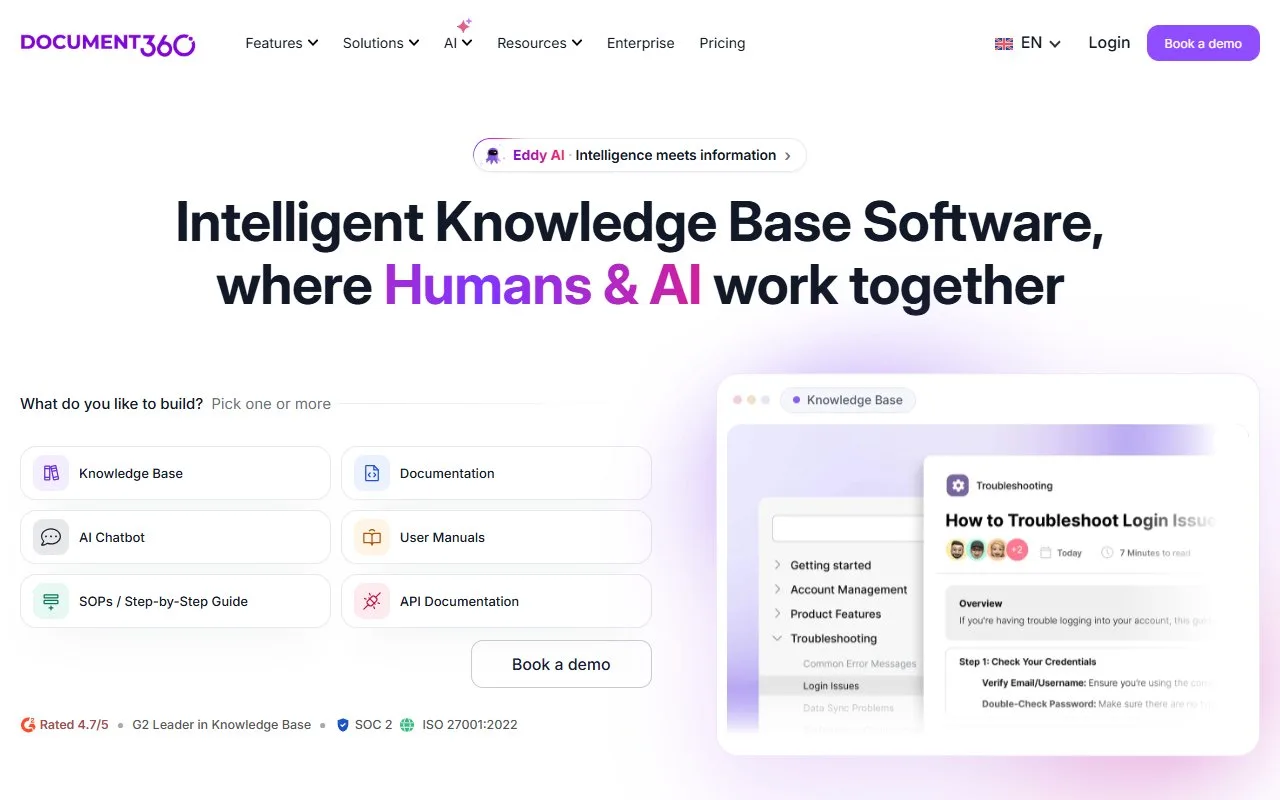
Why Document360 Dominates Enterprise Knowledge Bases: When enterprise organizations need to maintain extensive technical documentation, customer-facing help centers, standard operating procedures (SOPs), and user manuals across global distributed teams, Document360 is the platform of choice. It bridges the gap between software developers and non-technical customer support specialists by offering a dual-editor experience: technical authors can write in raw Markdown, while content managers can use a sophisticated block-based WYSIWYG editor.
At the heart of Document360’s 2026 feature suite is 'Eddy AI', an enterprise-grade AI copilot. Eddy assists technical writers across the entire content lifecycle: drafting initial documentation outlines from engineering bullet points, generating SEO meta descriptions, suggesting relevant internal links, and auto-generating article tags. For readers, Eddy acts as an intelligent search concierge, understanding natural language queries and providing precise summary answers without forcing users to sift through multi-page manuals.
We tested Document360 across a 500-article enterprise repository requiring multi-language localization in Spanish, German, and Japanese. Document360 managed translation workflows, version rollbacks, and team review approvals with military-grade precision. Backed by SOC 2 Type II compliance, enterprise SSO, and granular role-based permissions, Document360 provides the robust security and governance that corporate IT departments mandate.
- ✓Dual-authoring flexibility allowing writers to switch effortlessly between Markdown and rich WYSIWYG editors
- ✓Eddy AI assistant accelerates article drafting, meta tag generation, and delivers conversational answers to readers
- ✓Comprehensive enterprise governance with category managers, role-based access control, and audit logs
- ✓Extensive multi-language localization engine supporting over 40 languages with side-by-side translation review
- ✓Built-in API documentation viewer for integrating technical reference specs inside user-facing knowledge bases
- ×Less specialized for pure docs-as-code engineering pipelines compared to Mintlify or Fern
- ×Entry-level pricing starts at $149/month, making it an enterprise investment rather than a lightweight indie tool
8. DocuWriter.ai
Best for Automated Source Code Documentation & Unit Test Generation 9.3 / 10AI-Powered Code Analysis Engine Auto-Generating Docstrings, API Specifications, and Test Suites from Source Code Files
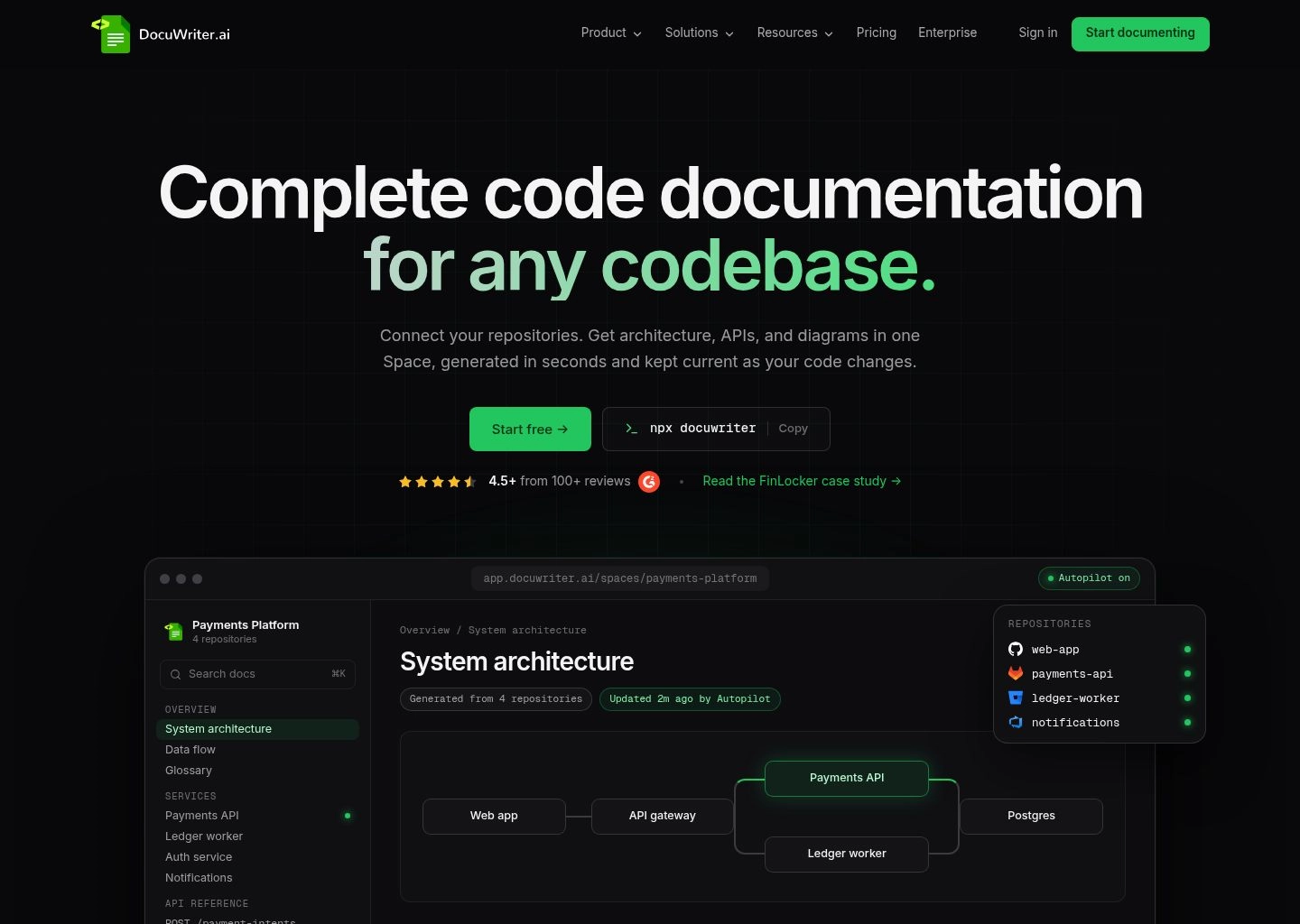
Why DocuWriter.ai is the Code-First Specialist: While most technical writing tools focus on hosting and publishing documentation after it has been written, DocuWriter.ai addresses the painful initial authoring phase: writing docstrings, explaining complex algorithms, and documenting undocumented legacy code. Engineered specifically for software engineers, QA leads, and technical architects, DocuWriter.ai connects directly to source code files and repositories to automatically generate clean, standardized technical documentation.
Supporting over 20 programming languages (including Python, JavaScript, TypeScript, Go, Rust, C++, Java, and PHP), DocuWriter.ai parses abstract syntax trees (ASTs) and internal logic to generate standardized docstrings (such as JSDoc, Google Style Python docstrings, or PHPDoc). Beyond documentation, it analyzes input parameters and edge cases to automatically generate corresponding unit test suites using frameworks like Jest, PyTest, or Mocha.
In our benchmarking sessions, we fed DocuWriter.ai a 2,500-line legacy Python backend module with zero existing documentation. In less than 90 seconds, DocuWriter.ai extracted every class, method, parameter, and return type, generating comprehensive Markdown documentation and 38 passing PyTest unit tests covering critical boundary conditions. For teams tackling technical debt, modernizing legacy systems, or establishing initial documentation baselines, DocuWriter.ai saves hundreds of hours of manual typing.
- ✓Direct code-to-docs generation across 20+ programming languages including Python, TypeScript, Rust, and Go
- ✓Automatically generates standardized docstrings (JSDoc, Google Python Docstrings, PHPDoc)
- ✓Simultaneously creates unit test suites (PyTest, Jest, Mocha) based on analyzed code logic
- ✓Identifies code smells, security vulnerabilities, and generates automated refactoring recommendations
- ✓Highly accessible pricing starting at just $19/month for individual developers and small teams
- ×Focused primarily on code-level documentation rather than hosting public interactive developer portals
- ×Requires human developer review on complex domain logic to ensure mathematical precision in generated descriptions
The 4 Pillars of Modern Technical Writing Architecture
Technical writing in modern software engineering is no longer an isolated editorial function; it is an integrated branch of systems architecture. When an engineering organization ships microservices, distributed APIs, or developer SDKs, documentation dictates adoption speed, integration security, and customer retention. High-performing technical documentation in 2026 rests upon four foundational architectural pillars:
Docs-as-Code & Repository Co-Location
Documentation must live directly alongside application source code in Git repositories. By storing documentation as version-controlled Markdown or MDX files, technical documentation inherits the proven rigor of software engineering: branch previews, peer code reviews, automated CI/CD linting, and atomic releases that guarantee documentation deploys simultaneously with code.
Automated Codebase Drift Detection
Documentation decay happens when developers alter backend parameters, schemas, or routing logic without updating written guides. Modern architecture employs automated linters and code-coupling bots (like Swimm and Mintlify) that monitor pull requests in real time, blocking merges or staging automated documentation PRs whenever underlying code diverges from published docs.
AI-Agent & LLM Machine-Readability
A massive percentage of developer documentation traffic in 2026 is ingested by autonomous coding agents (Cursor, Claude Code, GitHub Copilot) rather than human eyes. Platforms must structure documentation with clean, token-efficient llms.txt files, standard OpenAPI 3.1 definitions, and Model Context Protocol (MCP) endpoints to prevent LLMs from hallucinating outdated parameters.
Interactive Sandboxes & SDK Synchronization
Developers learn by executing code, not reading prose. Exemplary documentation incorporates interactive 'Try It' consoles that execute authenticated API calls against real sandboxes, accompanied by synchronized multi-language SDK snippets (TypeScript, Python, Go) that are compiled directly from the single source of truth specification.
The 5 Critical Technical Documentation Touchpoints
While general documentation platforms treat all text pages equally, technical documentation functions across five specialized, high-stakes developer touchpoints. Mastering each touchpoint directly accelerates developer activation and slashes technical support escalations:
1. The 5-Minute Quickstart & Authentication Gate
The quickstart guide is a platform’s first developer conversion test. A world-class quickstart enables an engineer to generate an API key, install an SDK, and execute their first authenticated endpoint call within 300 seconds. If an authentication guide requires reading five prerequisite pages before running a cURL command, 60% of developers will abandon the evaluation.
2. Interactive API Reference & Request Runner
Static parameter tables are obsolete. Modern API references integrate live request playgrounds directly into the browser, displaying full request headers, nested payload builders, realistic sample schemas, and immediate response previews with status code definitions (200 OK, 400 Bad Request, 429 Rate Limit).
3. Idiomatic SDK Snippets & Package Guides
Developers do not write raw cURL in production; they import typed client libraries. Providing copy-pasteable snippets written in idiomatic conventions for each language (e.g., proper async/await syntax in TypeScript, type hints in Python, and error pointer checks in Go) eliminates integration errors.
4. Architecture Decision Records (ADRs) & RFCs
Internal technical writing requires capturing the 'why' behind engineering choices, not just the 'what'. Architecture Decision Records (ADRs) document why a distributed database was chosen, why a specific hashing algorithm was implemented, and what trade-offs were accepted, preserving critical institutional memory across engineering turnover.
5. Versioning, Deprecation Notices & Migration Guides
Breaking changes are inevitable, but unmanaged deprecations destroy developer goodwill. Clear technical documentation provides side-by-side migration guides, explicit sunset schedules, automated changelog feeds, and interactive banners that alert developers when viewing deprecated API endpoints.
Solving Documentation Drift: The Automated CI/CD Pipeline
The most pervasive disease in technical writing is documentation drift: the divergence that begins the moment code merges into production while documentation updates remain stranded in a backlog. Modern engineering teams eliminate drift by embedding documentation checks into their automated CI/CD pipelines:
The 5-Step Technical Documentation Audit Framework
If your organization’s technical documentation has grown stale, fragmented, or difficult to navigate, running a structured AI-assisted technical documentation audit can quickly restore developer trust. Here is the five-step framework utilized by elite developer relations teams:
- Inventory & Orphaned Spec Scan: Crawl all public and internal documentation spaces. Cross-reference every documented API endpoint against your live production routing tables to identify orphaned endpoints, broken links, and missing methods.
- Code Snippet Validation: Run automated test harnesses across all documentation code samples (Python, TypeScript, Go, cURL). Execute every snippet in an isolated sandbox to confirm that sample code runs without syntax errors or unhandled exceptions.
- Time-to-First-Hello-World (TTFHW) Benchmark: Have a new engineer or contractor follow your quickstart guide on a fresh machine with zero pre-installed environment variables. Clock the exact minutes required to execute their first successful API call and record every friction point.
-
AI-Agent Ingestion Testing: Feed your documentation URLs and
llms.txtfiles directly into Cursor, Claude Code, and ChatGPT. Prompt the models to generate client integrations based strictly on your docs, evaluating whether the AI produces accurate code or hallucinates deprecated parameters. - Support Ticket & Search Query Telemetry: Analyze internal search logs and developer support tickets over the past 90 days. Group queries by error code and topic to identify documentation gaps where developers consistently fail to find answers on their own.
Frequently Asked Questions (AI Technical Writing & Developer Docs)
What is the docs-as-code philosophy, and why has it become the developer standard?
Docs-as-code is the practice of managing technical documentation using the exact same tools and workflows used for software code: storing files in Git repositories as Markdown or MDX, reviewing changes via pull requests, using automated CI/CD linters for quality assurance, and deploying via automated build pipelines. It eliminates isolated documentation silos and ensures engineers treat documentation as an integral part of shipping code.
What is llms.txt, and why is it essential for API documentation in 2026?
llms.txt is a standardized Markdown file hosted at the root of a documentation domain that serves as a curated, token-efficient index specifically designed for large language models and autonomous coding agents (like Cursor, Claude Code, and Copilot). It strips away navigation menus, scripts, and heavy styling, delivering clean API schemas and reference guides that AI tools can ingest without exceeding token limits or hallucinating parameters.
How do AI technical writing tools prevent hallucinations in code documentation?
Modern platforms like Mintlify, Archbee, and ReadMe employ strict Retrieval-Augmented Generation (RAG) coupled directly with verified OpenAPI specifications and source code files. Rather than generating answers from open web data, the AI is constrained strictly to the company's verified documentation index and must provide exact code snippet citations for every claim.
Can AI documentation platforms generate client SDKs in multiple programming languages?
Yes. Advanced OpenAPI compilers like Fern take OpenAPI specifications and automatically compile fully typed, idiomatic client libraries in TypeScript, Python, Go, Java, C#, and Ruby. These tools automate package publishing to registries like npm and PyPI, guaranteeing that client SDKs remain 100% in sync with written documentation.
How does Swimm differ from public-facing documentation platforms like Mintlify or ReadMe?
While Mintlify and ReadMe specialize in public-facing developer portals and customer API references, Swimm is built specifically for internal engineering knowledge. Swimm embeds live code anchors into documents and integrates directly into IDEs (VS Code, JetBrains) and CI/CD pipelines, automatically alerting engineers when codebase refactors break internal architecture guides.
Is proprietary source code safe when using AI documentation tools?
Enterprise documentation platforms (including Mintlify, GitBook, Swimm, and Document360) provide strict zero-data-retention guarantees and SOC 2 Type II compliance. Customer source code, internal schemas, and documentation are processed in isolated encrypted environments and are strictly excluded from public LLM training datasets.
Hamza Khaliq
Verified AuthorFounder & Head of Product Research at AI Central Resources • Evaluated 1,400+ Enterprise AI Platforms
Hamza leads benchmark testing and product architecture evaluations across generative software, developer tooling, and enterprise AI ecosystems. Every tool reviewed on AI Central Resources undergoes rigorous hands-on testing in production environments with zero vendor sponsorships.