Figma AI
The industry-standard design platform — now with AI that designs, prototypes, and codes alongside your team
Gallery
5 items
About Figma AI
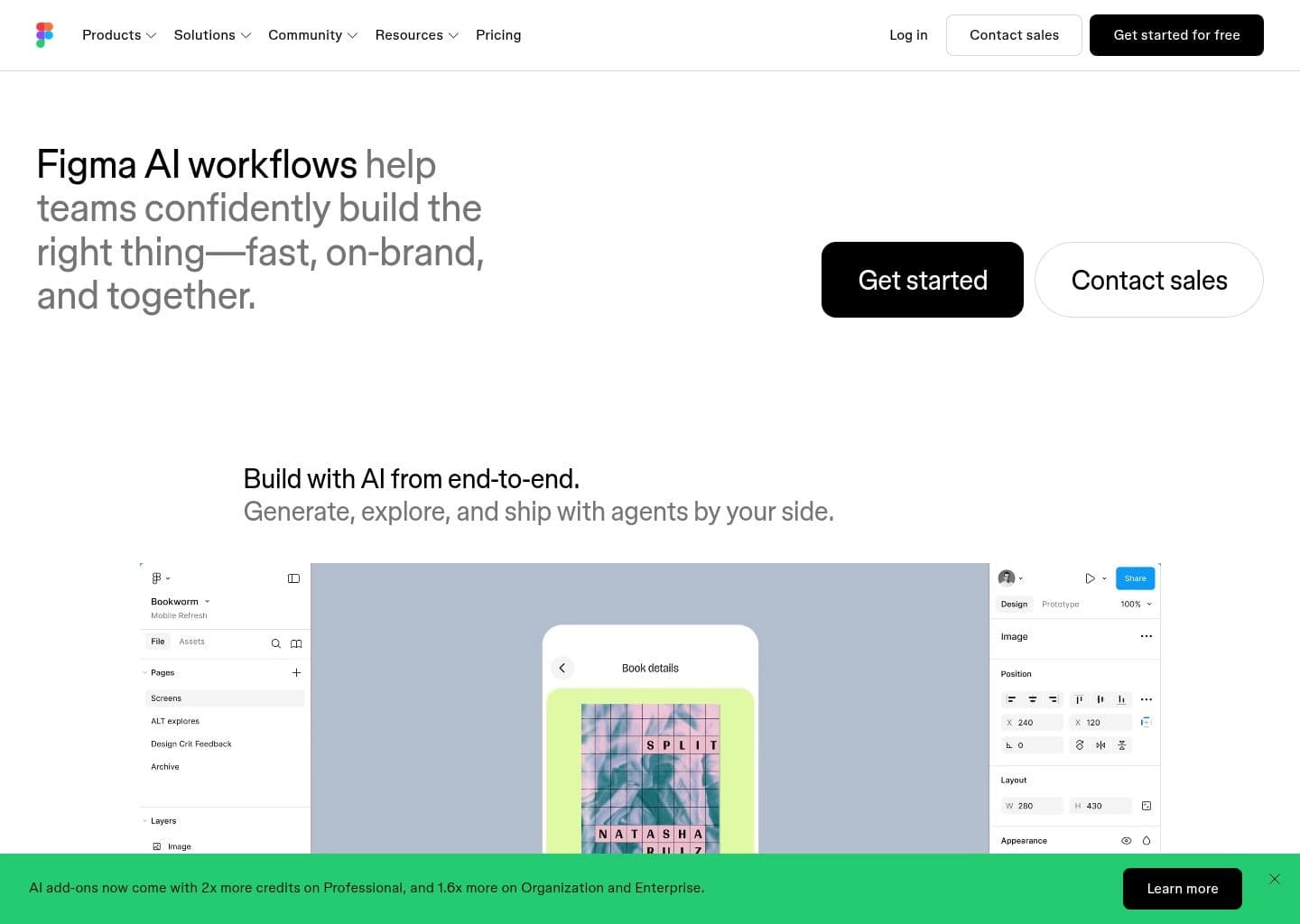
Testing Figma AI across design systems and mobile wireframing sprints proved how effortlessly it generates initial layouts, generates realistic placeholder copy, and automates layer renaming. It seamlessly turns conceptual text prompts into editable vector frames right on the native Figma canvas. The generated component hierarchies can be somewhat generic, still requiring a skilled designer to refine auto-layout constraints and color variables. Currently rolling out across Figma paid plans, it is an essential workflow accelerant for modern product design teams.
Figma AI is the artificial intelligence layer built directly into Figma — the industry-standard collaborative design platform used by over 4 million designers, product teams, and engineers worldwide. Unlike AI tools bolted onto existing workflows, Figma AI is native to the canvas where product design actually happens. Its 2026 AI suite covers four major capabilities: Figma Make (prompt-to-interactive-UI generation), Figma Agent (autonomous multi-step design execution from natural language, announced at Config 2026), AI auto-rename and organization, and AI-powered layout suggestions and design cleanup tools.
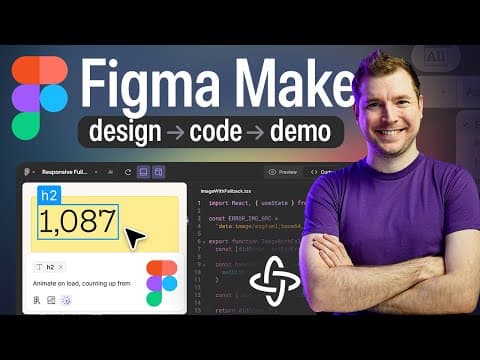
Figma Make is the flagship AI feature: type a description of any screen, dashboard, form, or app flow and Figma generates a complete, editable, interactive prototype in seconds. Unlike standalone AI UI generators, Make outputs directly into your Figma file with real components, Auto Layout, proper typography, and clickable prototypes — no export or conversion required. Each Full seat includes a monthly AI credit pool (3,000 on Professional, 3,500 on Organization, 4,250 on Enterprise) that covers all AI features including Make, Agent, and generation tools. Figma also went public on NYSE (ticker: FIG) in mid-2025 following the collapse of the Adobe acquisition.
Figma is the default choice for product design teams at companies from early-stage startups to Fortune 500s — if your team already uses Figma for design, the AI features are included in your existing seat at no additional charge. The Starter plan is permanently free with 500 AI credits per month, making it accessible to individual designers and freelancers evaluating the platform.
Key Features
- Figma Make — generate complete, editable, interactive UI prototypes from a text prompt directly on the Figma canvas with real Auto Layout components
- Figma Agent (announced Config 2026) — autonomous AI design agent that executes multi-step design tasks from natural language, makes bulk edits, and uses comments as context
- AI auto-rename layers — intelligently names every layer in your file based on its visual content, cleaning up messy component trees in one click
- Figma Sites — publish Figma designs directly as live, hosted websites without leaving the platform (launched 2026)
- Dev Mode AI — developers get AI-assisted code inspection, automatic code snippet generation, and smart handoff annotations inside the same file designers work in
- FigJam AI — AI-powered diagramming, brainstorming, and sticky-note synthesis for design thinking workshops and team planning sessions
- Multi-model AI architecture — Figma routes generation tasks across multiple underlying AI models for optimal output quality per task type
- Figma community plugins + MCP — 10,000+ community plugins extend AI capabilities and MCP server integration connects Figma to external coding agents
Pros
- The most widely adopted design platform in the world — 4M+ designers, used by Airbnb, Spotify, Google, Microsoft, and virtually every major tech company
- AI features (Make, Agent, auto-rename) are included in existing seats at no additional charge — no new subscription required
- Figma Make outputs real Figma components with Auto Layout, not static images — designs are immediately editable and production-ready
- Native collaboration — designers, PMs, engineers, and AI agents all work in the same live file simultaneously with no export friction
- 72% of designers now use Figma generative AI weekly per Figma's own 2026 State of the Designer report
- NYSE-listed company (ticker: FIG) since mid-2025 — strong financial stability and continued R&D investment in AI features
Cons
- AI credits are a separate usage meter on top of seat pricing — heavy Figma Make use can exhaust the 3,000 monthly credit pool on Professional requiring add-on purchases
- Figma Agent is still rolling out in 2026 — available to Organization and Enterprise first, not yet on all Professional seats
- Per-seat pricing jumps dramatically from Professional ($16) to Organization ($55) — file branching for parallel design work requires Organization, tripling cost
- Figma Sites is still maturing — not a full CMS replacement for teams needing complex content management or ecommerce
- Free Starter plan caps editors at 2 and design files at 3 — teams outgrow it quickly and must move to Professional
- Figma is raster/vector for 2D UI design only — teams working in 3D, motion graphics, or spatial design still need separate tools like Spline or After Effects
Pricing & Plans
Free Starter plan (3 files, unlimited collaborators, 500 AI credits/mo, no card required) — Professional $12–$16/editor/mo — Organization $45–$55/mo — Enterprise $75–$90/mo
Claim Verified Creator Badge
Are you the founder of Figma AI? Display this listing's verified badge on your website to show your customers that your product has been vetted and listed on AI Central Resources.
<a href="https://www.aicentralresources.com/tool/figma-ai" target="_blank" rel="noopener">
  <img src="https://www.aicentralresources.com/badges/featured-badge-dark.svg" alt="Featured on AICentralResources" width="200" height="54" style="border: none;" />
</a>
* Place this HTML snippet in your website's footer, landing page, or press section. This creates a search-friendly backlink directly to your verification page.
Connect with Figma AI
Frequently Asked Questions
Yes. The Starter plan is permanently free with unlimited personal drafts, up to 3 design files, 3 FigJam files, 2 editors, and 500 AI credits per month (capped at 150/day). Paid plans start at $16/Full seat/month (Professional, billed annually) for unlimited files, 3,000 AI credits/seat, and full collaboration features.
Figma Make is Figma's AI prototype generator. You type a description of any UI — a SaaS dashboard, a mobile checkout screen, a landing page — and Figma Make generates a complete, interactive, editable Figma prototype in seconds. Unlike standalone AI generators, Make outputs real Figma components with Auto Layout that are immediately usable in your design system.
Announced at Config 2026, Figma Agent is an autonomous AI design agent that can execute multi-step design tasks from natural language instructions. It can design entire user interfaces, make bulk edits across files, and use comments as context — functioning as an AI designer that works alongside human team members in the same Figma canvas.
Each Figma seat includes a monthly AI credit pool: 500 on Starter (150/day cap), 3,000 on Professional Full seats, 3,500 on Organization, and 4,250 on Enterprise. All AI features including Make, Agent, and generation tools draw from this shared pool. Extra credits can be purchased as add-ons. Credits reset monthly and do not roll over.
Figma is the professional standard for UI/UX product design — building apps, websites, and design systems with pixel precision, components, and developer handoff. Canva is an all-in-one visual content platform for marketing and social media graphics. Figma is used by product teams shipping real software; Canva is used by marketers and non-designers creating visual content. They serve different use cases and rarely compete directly.
Similar AI Tools to Figma AI
View all alternatives of Figma AI
Canva AI
Your all-in-one AI assistant for creative design and content generation

Framer AI
AI website builder that goes from prompt to live published site in minutes — no code, no separate hosting

Google Stitch
Google's AI UI generator — describe any app screen and get a complete multi-screen UI with code in seconds

Miro AI
Accelerate teamwork and innovation with an AI-powered collaborative canvas.

Spline
Create interactive 3D experiences for web and apps with real-time collaboration.

Uizard
AI UI design tool that turns text prompts and hand-drawn sketches into clickable app prototypes in seconds
Compared with Figma AI
Direct head-to-head feature matrices, pricing breakdowns, and real-world performance benchmarks