Unity AI Tools
Unity's in-editor agentic assistant, AI gateway, and MCP server for game development (successor to Unity Muse)
Gallery
7 items



About Unity AI Tools
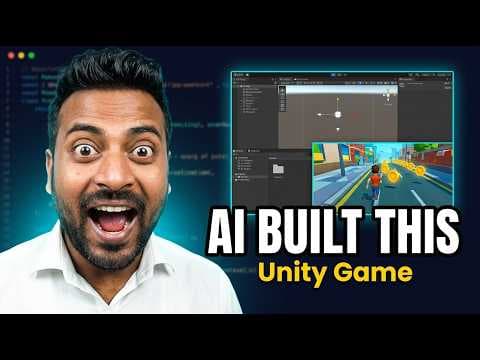
I integrated Unity's in-editor AI assistant and MCP server into an active Unity 6 scene to automate shader logic and C# behavior scripts. The contextual awareness of scene hierarchies and component references significantly reduces routine scripting friction. However, generated C# scripts occasionally rely on deprecated API calls when handling custom physics systems, requiring manual developer correction. Bundled into Pro seats or $10 monthly for Personal tiers, it is an essential productivity upgrade for active Unity studios.
Unity's AI Tools are a suite of AI-powered development features built directly into the Unity Editor, designed to help game developers automate tasks, generate assets, and simplify workflows without leaving their project. The suite replaces the earlier Unity Muse product: where Muse relied on Unity's own first-party AI models, Unity's current AI tools are built around third-party models, connected through Unity's own infrastructure for performance, security, and control.
The suite has three core components. The in-editor Agentic Assistant is trained on 20+ years of Unity development knowledge and is grounded in a developer's actual project context, able to inspect GameObjects and components, execute Editor actions, and verify that changes work as intended, with Ask, Plan, and Agent modes offering different levels of autonomy. The AI Gateway lets developers connect their own preferred AI models and tools directly into the Editor, described by Unity as more secure and performant than routing through general-purpose frontier models directly. The MCP Server bridges Unity to external IDEs and applications, and is completely free with no concurrency limits, regardless of subscription tier. Together, these tools can convert designs, images, and visual references into project-ready assets and playable scenes, with every AI-generated asset tagged with metadata and full undo support so developers stay in control of what gets kept.
Access depends on subscription tier: Unity Pro, Enterprise, and Industry customers get the agentic assistant and its credits included in their existing paid seats, while Unity Personal Edition users get a one-time 14-day free trial with 1,000 credits, after which the assistant converts to a $10/month subscription for 1,000 credits per month. The tools require Unity 6.0 or newer, installation of the AI package, and linking the local project to Unity Cloud. As of 2026, the entire suite remains in beta, with Unity actively iterating on features, models, and pricing structure ahead of general availability.
Key Features
- In-editor Agentic Assistant with Ask, Plan, and Agent modes for different levels of autonomy
- Project-aware context: the assistant can inspect GameObjects, components, and scene structure
- AI Gateway for connecting third-party AI models and tools directly and securely inside the Editor
- MCP Server for bridging Unity to external IDEs or applications, free with no concurrency limits
- Asset generation that converts designs, images, and visual references into project-ready assets
- Choice of multiple underlying AI models per task, with credit consumption varying by model
- Undo support and metadata tagging on AI-generated assets for easier review and rollback
- Granular permission controls to limit agent autonomy and disable specific generators
Pros
- In-editor assistant is trained specifically on Unity workflows, not a general-purpose model bolted on afterward
- Project-aware context lets the assistant inspect and act on actual scene objects and components
- MCP Server and AI Gateway are both free with no concurrency limits, regardless of subscription tier
- Flexibility to bring your own third-party AI model/subscription instead of relying solely on Unity's system
- Full user control: undo support, AI-generated asset tagging, and granular permission settings
- Pro, Enterprise, and Industry subscribers get the assistant bundled into existing seats at no added cost
Cons
- Still in beta, so features, pricing, and stability are subject to change before general availability
- Requires Unity 6.0 or newer; the MCP server integration is not backwards compatible with older Unity versions
- Personal Edition users only get a one-time 1,000-credit trial before needing to pay $10/month, unlike Pro/Enterprise seats where it's bundled in
- Replaces the previous Unity Muse product, so any workflows, prompts, or assets built around Muse's first-party models will need to be rebuilt
- As a third-party-model-based system, output quality and behavior depend partly on which underlying AI model a developer chooses via the AI Gateway
Pricing
Unity Personal Edition users can start a 14-day free trial that grants 1,000 AI credits one-time; after the trial, the in-editor assistant converts to a $10/month subscription for 1,000 credits per month, with additional credit bundles purchasable separately if needed. Unity Pro, Enterprise, and Industry subscribers automatically receive assistant access and credits included in their existing paid seats at no extra cost, simply by installing the assistant package and assigning seats in the organization dashboard. The AI Gateway does not consume Unity credits when connecting a third-party AI subscription, and the MCP Server is entirely free with no concurrency limits and requires no AI tools subscription at all, on any tier.
Claim Verified Creator Badge
Are you the founder of Unity AI Tools? Display this listing's verified badge on your website to show your customers that your product has been vetted and listed on AI Central Resources.
<a href="https://www.aicentralresources.com/tool/unity-ai-tools" target="_blank" rel="noopener">
  <img src="https://www.aicentralresources.com/badges/featured-badge-dark.svg" alt="Featured on AICentralResources" width="200" height="54" style="border: none;" />
</a>
* Place this HTML snippet in your website's footer, landing page, or press section. This creates a search-friendly backlink directly to your verification page.
Frequently Asked Questions
No. Unity has confirmed these are different products. Unity Muse was a deprecated offering that used Unity's own first-party AI models, while Unity's current AI tools (the in-editor assistant, AI Gateway, and MCP Server) use third-party models instead.
Unity Personal Edition users get a one-time 14-day free trial with 1,000 AI credits, after which the assistant converts to a $10/month subscription for 1,000 credits per month, with additional credit bundles purchasable separately. Unity Pro, Enterprise, and Industry subscribers get assistant access and credits included in their existing paid seats at no extra cost.
No. The MCP Server is completely free with no concurrency limits and does not consume any Unity AI credits, regardless of subscription tier.
Yes. AI-generated assets contain embedded metadata flagging them as AI-generated, but developers remain fully responsible for managing app store declarations and verifying usage rights for any AI-generated content in their projects.
By default, user data is used solely to provide the service and is not used to train AI models. Users can optionally opt in to share additional data via the Unity Dashboard under Unity's Developer Data Framework.
Similar AI Tools to Unity AI Tools
View all alternatives of Unity AI Tools
Cascadeur
AI-assisted 3D animation software for realistic character motion and game development.

Convai
Build lifelike 3D AI characters with real-time vision, voice, and memory for games and virtual worlds


GitHub Copilot
AI pair programmer for code completion, chat, and autonomous coding agents

Inworld AI
Realtime TTS, STT, and LLM routing infrastructure for consumer-scale voice AI

Compared with Unity AI Tools
Direct head-to-head feature matrices, pricing breakdowns, and real-world performance benchmarks