
Relume
Plan websites with AI-generated sitemaps, wireframes, copy, and export-ready components
Gallery
6 items



About Relume
This is a documentation-based editorial assessment, not a claimed hands-on benchmark. Relume's documented workflow is well targeted: start with a project brief or an existing website, generate the page hierarchy, turn the sitemap into wireframes, and refine the result with a shared style guide. The ability to export into Figma, Webflow, and React makes the workflow relevant to real agency delivery rather than a closed demo builder. Its strongest advantage is the connection between information architecture and component-based wireframing. The main trade-off is that generated page structures and copy still require a designer or strategist to check user journeys, brand voice, content accuracy, and conversion logic. The separate Build, export, and hosting plans also make it important to check which product tier a team actually needs before paying. I would shortlist Relume for agencies and freelancers producing multi-page marketing websites, especially when sitemap approval and early client feedback are recurring bottlenecks. A solo user planning one small site can begin with the free tier; teams exporting frequent client projects should compare the Starter and Pro limits against their actual workflow. A hands-on product test would be needed before treating this assessment as a verified usability benchmark.
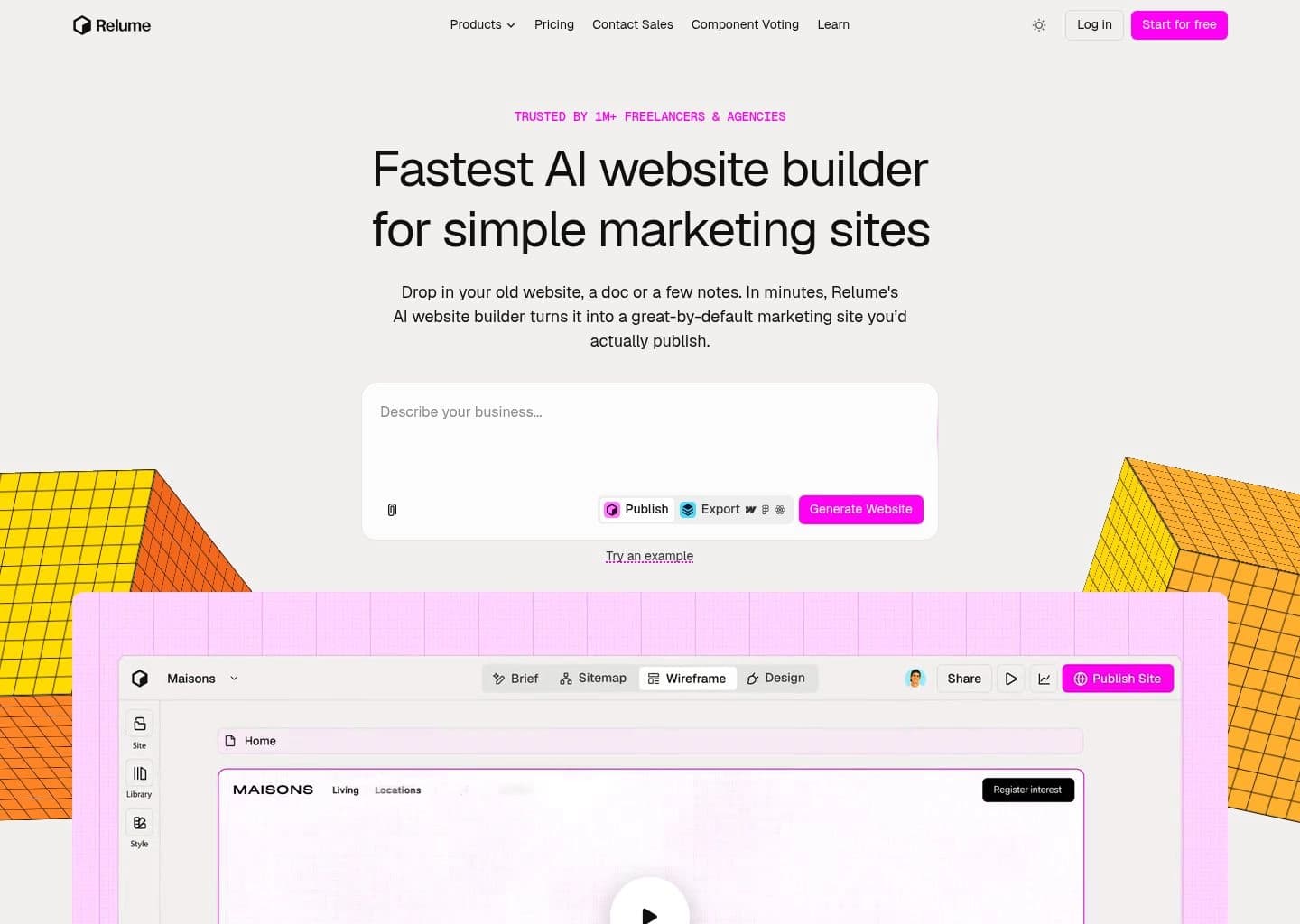
Relume is an AI-powered website planning and design platform that turns a project brief, existing website, or rough notes into a structured website sitemap and page wireframes. It is designed to help agencies, freelancers, and in-house teams define page architecture before moving into detailed visual design.
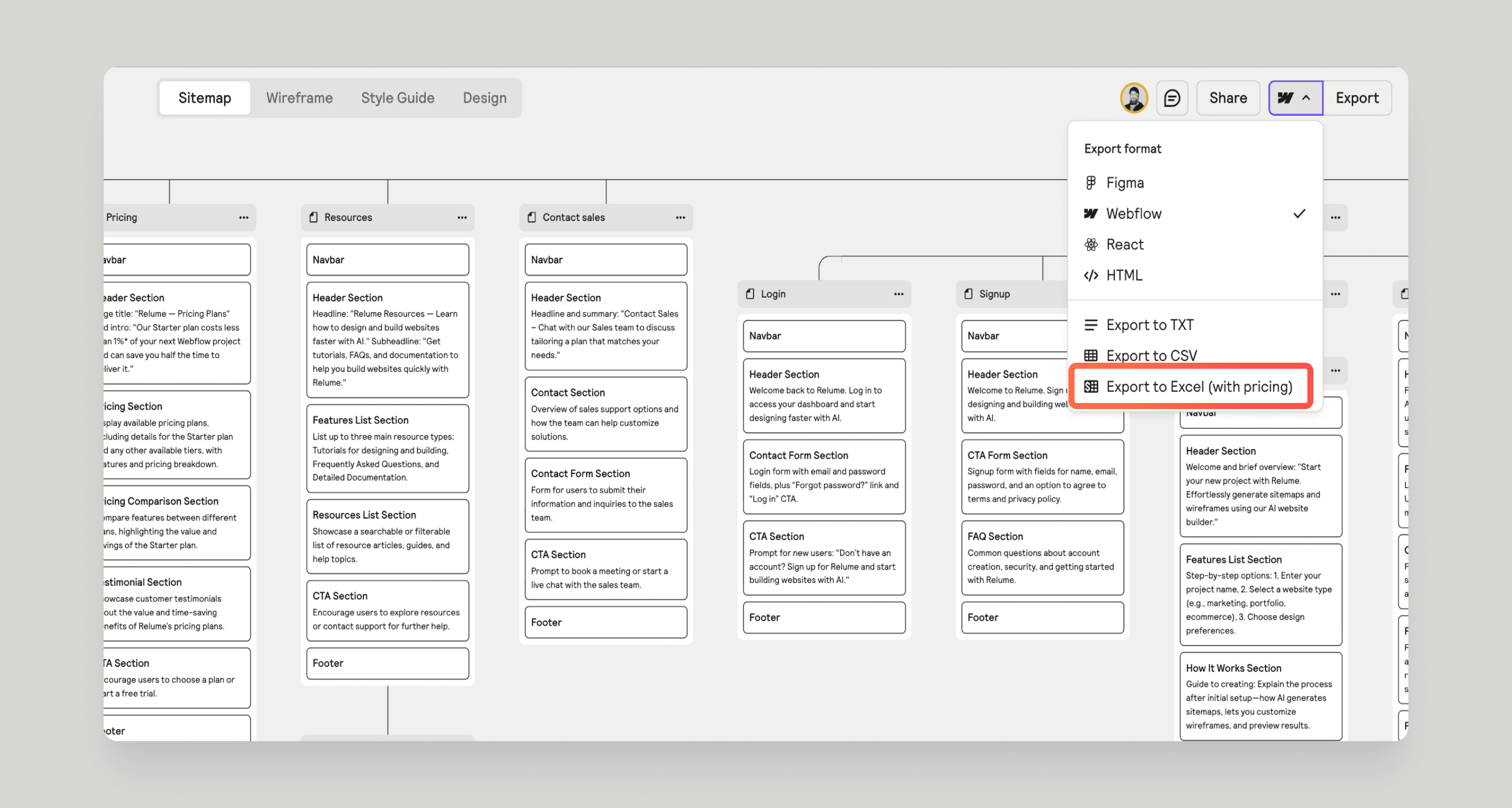
Its workflow combines AI-generated briefs, sitemaps, wireframes, section copy, and brand style guides with a library of reusable responsive components. Projects can be exported to Figma, Webflow, or React, with React output built around Tailwind CSS and shadcn/ui; Relume also offers publishing and component-library workflows.
Relume is best suited to web design agencies, freelance designers, Webflow developers, and teams planning multi-page marketing websites. It is especially useful for turning discovery notes into a client-reviewable structure and a faster handoff to design or development.
Key Features
- Generate website briefs and multi-page sitemaps from prompts or existing website URLs
- Convert sitemaps into editable wireframes using reusable page and section components
- Generate and edit copy within wireframe sections
- Create shared style guides for colors, typography, and spacing
- Export projects to Figma, Webflow, and React
- Use responsive component libraries with mobile variants
- Collaborate through project sharing, comments, and team workspaces
- Publish websites with hosting, custom-domain, SEO, and analytics options
Pros
- Connects sitemap planning, wireframing, copy, and style guides in one workflow
- Exports to established design and development tools instead of locking users into one editor
- Reusable components help standardize agency and multi-page website projects
- Free tier is available without requiring a credit card
Cons
- Generated structures and copy still need human review for brand accuracy, conversion strategy, and content depth
- The free Site Builder tier has tight project and page limits
- Publishing, AI usage, and component export plans are separate products with different pricing
- Teams still need design or Webflow/React skills to refine and ship production-ready websites
Pricing & Plans
Relume offers a free plan with no credit card required. The free Site Builder tier is limited to one project and one page, with read-only sharing and restricted component access. Relume also lists free hosting on a relume.live subdomain with usage limits. The free plan is not a time-limited trial.
Paid products are priced separately: Build Pro starts at $14/month, Site Builder Starter starts at $18/month, Site Builder Pro starts at $40/month, and the Team plan starts at $36/month with a three-user minimum. Launch hosting for a custom domain starts at $12 per project/month. Confirm the billing period and current checkout price before subscribing.
Enterprise plans use custom AI usage and volume pricing and include sales-led onboarding and enterprise terms. There is no advertised seven-day Pro trial on the current pricing FAQ; free-plan signup does not require a card.
Claim Verified Creator Badge
Are you the founder of Relume? Display this listing's verified badge on your website to show your customers that your product has been vetted and listed on AI Central Resources.
<a href="https://www.aicentralresources.com/tool/relume" target="_blank" rel="noopener">
  <img src="https://www.aicentralresources.com/badges/featured-badge-dark.svg" alt="Featured on AICentralResources" width="200" height="54" style="border: none;" />
</a>
* Place this HTML snippet in your website's footer, landing page, or press section. This creates a search-friendly backlink directly to your verification page.
Connect with Relume
Frequently Asked Questions
Relume uses AI to help plan marketing websites by generating briefs, sitemaps, wireframes, section copy, and style guides. Projects can then be exported to Figma, Webflow, or React.
Yes. Relume supports exports to Figma and Webflow, and its current Site Builder plans also list React export.
Yes. It has a free plan with no credit card required, but the free Site Builder tier limits projects, pages, and some component access.
Relume can assemble and publish websites through its own publishing product, or create structured projects for further design and development in Figma, Webflow, or React. Review the output before launch.
It is most useful for web design agencies, freelancers, Webflow developers, and teams that need to plan and wireframe multi-page marketing websites quickly.
Similar AI Tools to Relume
View all alternatives of Relume
Figma AI
The industry-standard design platform — now with AI that designs, prototypes, and codes alongside your team

Uizard
AI UI design tool that turns text prompts and hand-drawn sketches into clickable app prototypes in seconds

Google Stitch
Google's AI UI generator — describe any app screen and get a complete multi-screen UI with code in seconds

Framer AI
AI website builder that goes from prompt to live published site in minutes — no code, no separate hosting

Spline
Create interactive 3D experiences for web and apps with real-time collaboration.