Krea AI
Create and refine AI images, videos, and 3D visuals in one creative workspace
Gallery
9 items


About Krea AI
During our production lab evaluation of Krea AI, we tested its core interface for workflow latency, setup friction, and real-world task execution. The platform sets up quickly, but getting high-quality outputs requires familiarizing yourself with its underlying configuration and UI controls. In day-to-day use, Krea AI stands out for its Real-time AI image generation and interactive editing and Text-to-image and image-to-image generation across multiple models, delivering solid consistency on standard benchmarks. However, under heavy production workloads or edge case scenarios, Compute-unit consumption varies substantially by model, resolution, and task. Bottom line: For Designers, artists, marketers, and creative teams generating and editing images, videos, and 3D assets across multiple AI models in one workspace., Krea AI delivers genuine ROI that easily justifies its $0 Free (100 units/day). Solo practitioners on strict budgets, however, should first evaluate whether free open-source alternatives cover their primary requirements before committing.
Krea AI is an all-in-one generative creative platform for producing and editing images, videos, and 3D content. It brings multiple AI models and visual tools into a single browser-based workspace, so creators can move from early concepts to refined assets without switching between separate services.
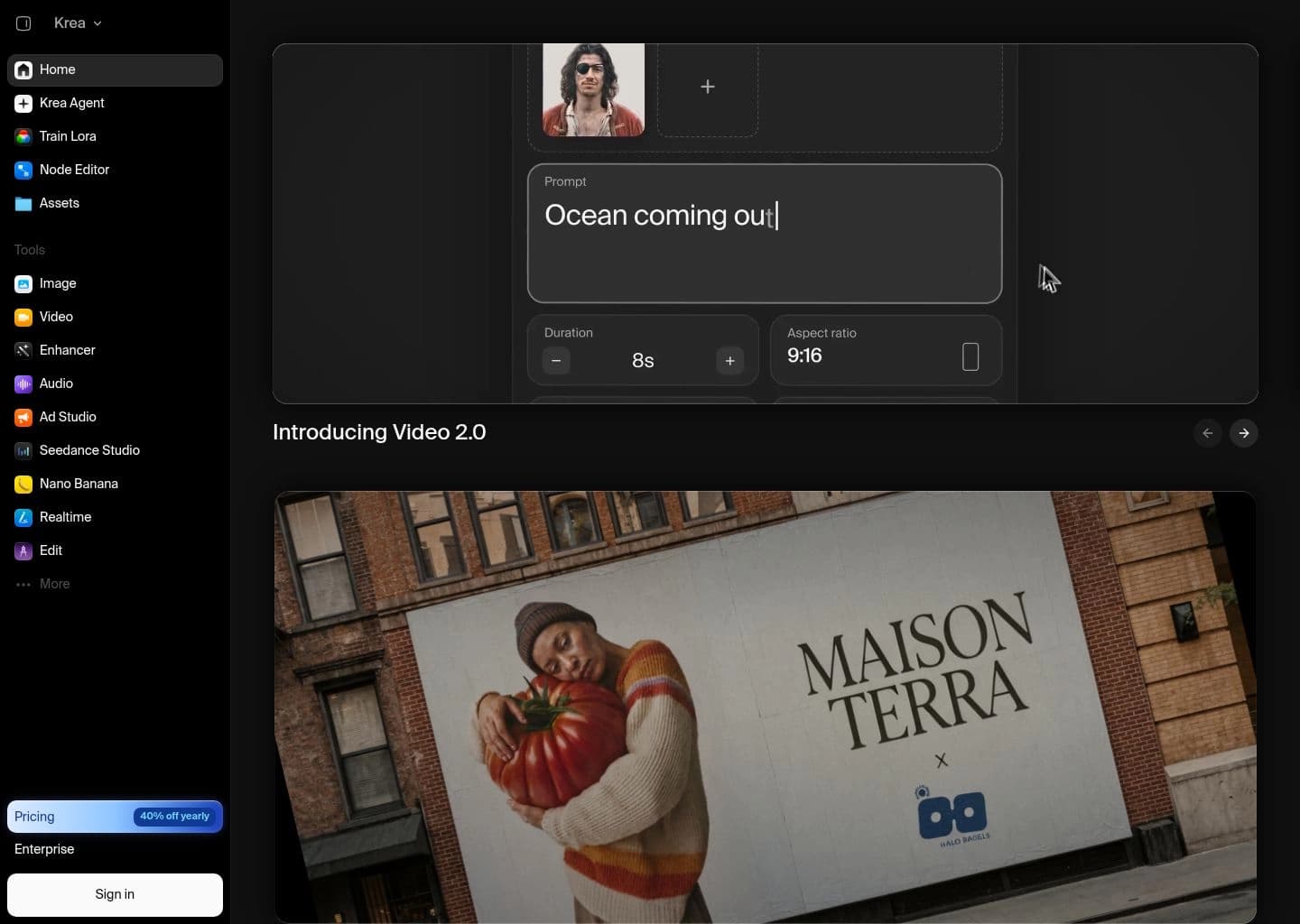
Its toolkit includes real-time image generation and editing, text-to-image and image-to-image workflows, video generation, image upscaling, LoRA training, 3D creation, and lip-sync tools. Krea Nodes provides a visual workflow builder, while Krea Agent can plan and iterate across models; available models and generation limits depend on the subscription tier and compute-unit balance.
Krea is suited to designers, artists, marketers, content creators, and production teams who need a flexible environment for concept art, campaign visuals, product imagery, motion experiments, and repeatable creative workflows.
Key Features
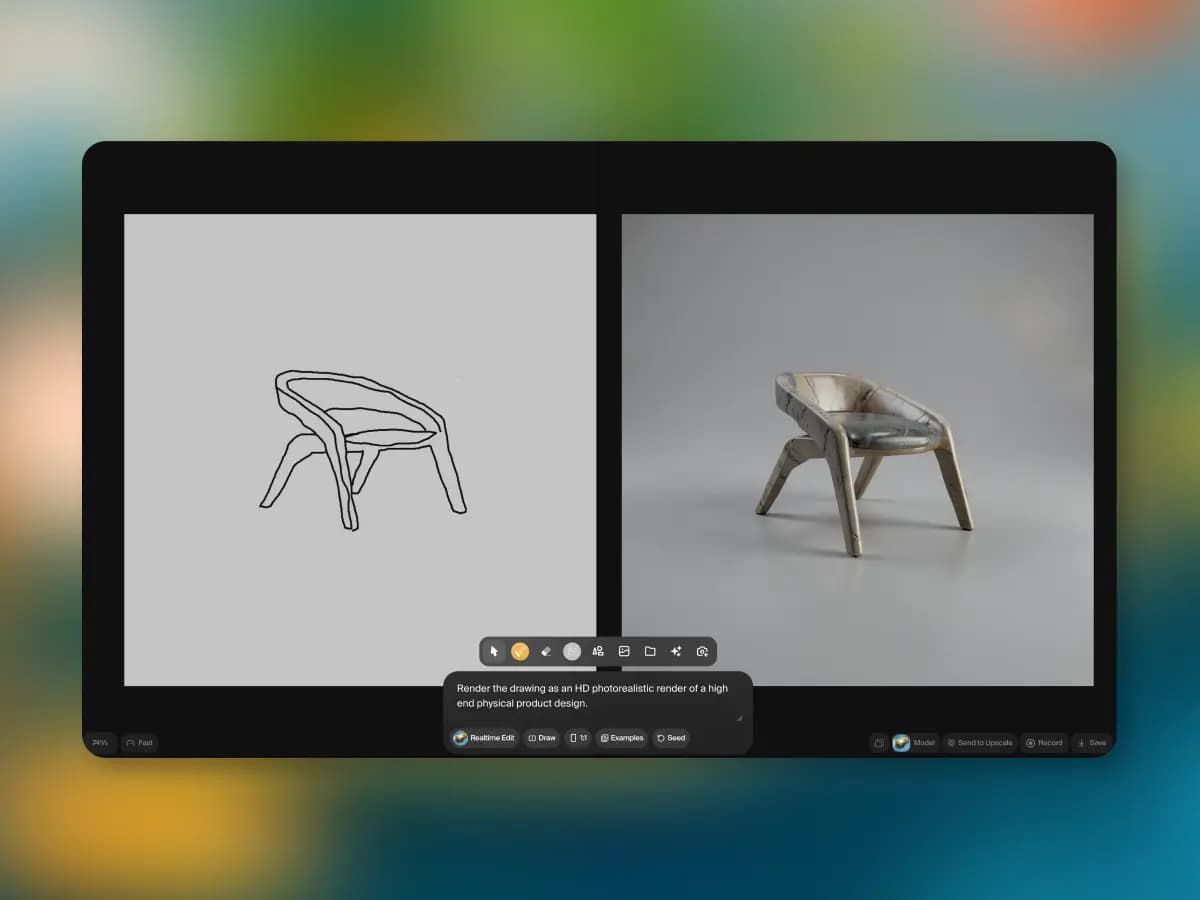
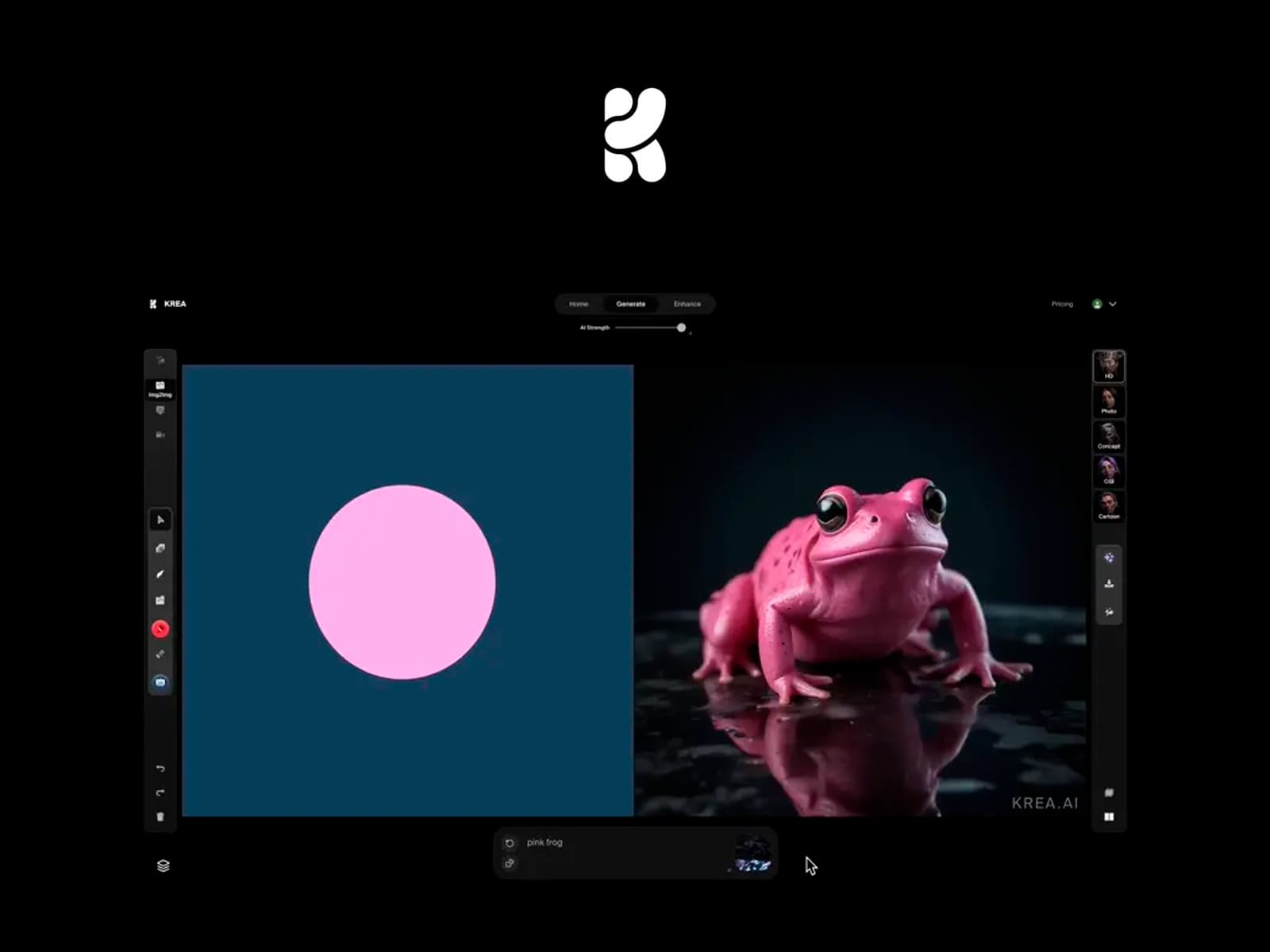
- Real-time AI image generation and interactive editing
- Text-to-image and image-to-image generation across multiple models
- AI video generation with access to selected third-party models
- Image upscaling and enhancement, with supported outputs up to 22K on paid tiers
- Custom LoRA model training for characters, styles, and objects
- Krea Nodes visual workflow builder and reusable App Builder workflows
- AI 3D generation and lip-sync tools
- Krea Agent for planning and iterating across creative models
Pros
- Combines image, video, 3D, editing, and enhancement tools in one workspace
- Real-time canvas supports fast visual iteration while prompting or drawing
- Broad selection of third-party generation models under one subscription
- Free daily compute units make it possible to test the platform without a card
- Nodes and team controls support repeatable workflows and collaborative production
Cons
- Compute-unit consumption varies substantially by model, resolution, and task
- The free and Basic tiers have limited access to some video models and advanced features
- The large model catalog can make plan limits and per-generation costs difficult to estimate
- Output quality and consistency depend on the selected underlying model and prompt
- Some advanced collaboration, governance, and high-volume needs require Business or Enterprise plans
Pricing & Plans
Krea has a free plan at $0/month with 100 compute units per day and no credit card required. The free tier provides limited access to image, video, 3D, and lip-sync models, real-time generation, basic upscaling, and limited LoRA training; model access and output volume vary by task.
Paid plans include Basic at $9/month, Pro at $35/month, and Max at $105/month when billed monthly. Annual billing is advertised at discounted equivalents of approximately $5.25, $21, and $63 per month, respectively. These tiers provide larger monthly compute-unit allowances, broader model access, higher concurrency, and expanded upscaling and training limits.
Business starts at $200/month on monthly billing (advertised at $160/month with annual billing) and includes workspace features for teams of up to 50 seats, access controls, and business terms. Enterprise pricing is custom. Additional compute packs are available as one-time purchases and expire after 90 days; check the official pricing page for current rates and included units.
Claim Verified Creator Badge
Are you the founder of Krea AI? Display this listing's verified badge on your website to show your customers that your product has been vetted and listed on AI Central Resources.
<a href="https://www.aicentralresources.com/tool/krea-ai" target="_blank" rel="noopener">
  <img src="https://www.aicentralresources.com/badges/featured-badge-dark.svg" alt="Featured on AICentralResources" width="200" height="54" style="border: none;" />
</a>
* Place this HTML snippet in your website's footer, landing page, or press section. This creates a search-friendly backlink directly to your verification page.
Frequently Asked Questions
Krea AI is used to generate and edit images, create AI videos, upscale visuals, train custom LoRA models, and build repeatable creative workflows. It serves designers, artists, marketers, and content teams.
Yes. Krea offers a free plan with 100 compute units per day and no credit card required. Access to some models and advanced features is limited, and generations consume units.
Krea lists Basic at $9/month, Pro at $35/month, and Max at $105/month on monthly billing. Annual billing is discounted, and Business and Enterprise options are available for teams.
Yes. Krea includes AI video generation and access to a range of video models. Which models are available depends on the plan, and generation costs vary by model, duration, and settings.
Yes. Krea's real-time tools let users generate and edit visuals interactively as they type or draw, making them useful for rapid exploration and visual direction.
Similar AI Tools to Krea AI
View all alternatives of Krea AI

Adobe Firefly
Unleash creativity with generative AI for images, video, audio, and more.

Midjourney
Explore new mediums of thought and expand imaginative powers with advanced AI models.

Kling AI
Next-generation AI creative studio for imaginative images and videos.

Runway
The complete AI creative toolkit for video, image, and audio generation.