Plandex
Terminal AI coding agent for large tasks — diff sandbox, plan branching, 2M context
Gallery
6 items




About Plandex
In my terminal testing of Plandex across massive codebase refactors, its terminal-native agent mapped complex multi-file architectural changes into isolated git-backed diff sandboxes with complete rollback protection. Its 2M-token context handling allows developers to plan and review massive tasks step-by-step. It is strictly an advanced command-line tool designed for technical developers comfortable with terminal commands and BYO-API keys. Being open-source and free to self-host, it is an elite terminal power tool for senior software engineers tackling complex features.

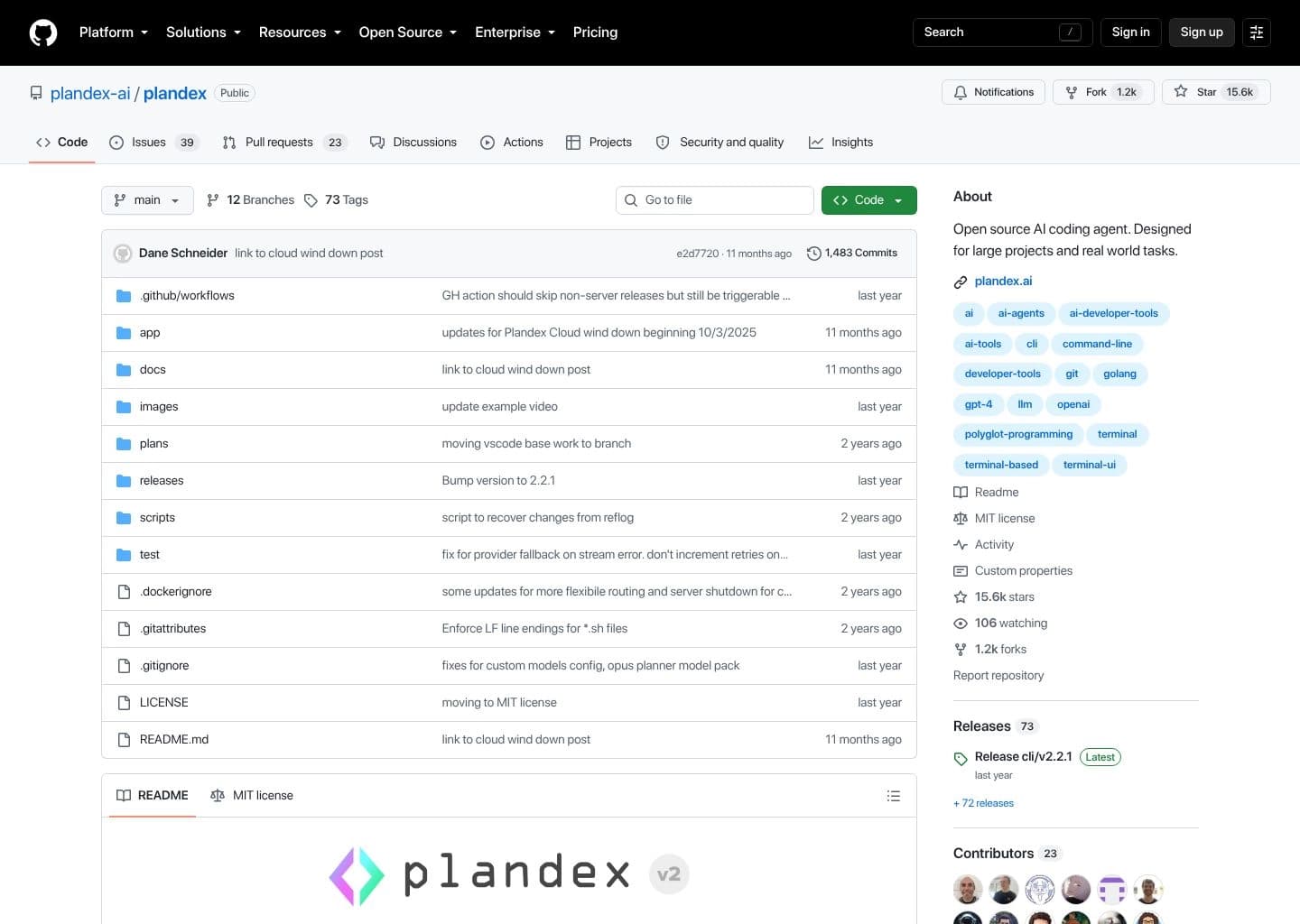
Plandex is an open-source terminal-based AI coding agent built specifically for large, multi-file, real-world software development tasks — the kind that other AI coding tools struggle with. Created and released under the MIT license by a small team led by founder Dane Schneider, Plandex focuses on the use case where a task spans dozens of files, requires multiple sequential steps, and demands careful human oversight before changes are applied. The key insight: instead of applying AI changes immediately, Plandex stages all generated changes in a cumulative diff sandbox for review, so developers inspect the full set of proposed changes across every file before committing anything to the filesystem.
Plandex introduces plans as first-class objects — every task is a plan with its own context, branches, conversation history, and pending changes. Plans support git-like branching to try alternative approaches, version control with checkpoints for rollback, and incremental merging of changes. A 2M token context window handles large individual files, while tree-sitter project maps allow the agent to navigate and reason about codebases with 20M+ tokens across 30+ programming languages. Autonomy is fully configurable: full-auto mode runs continuously without confirmation, while step-by-step mode prompts for approval at each stage. Multiple developers can share a self-hosted team server with shared plan history.
Plandex Cloud (the original hosted service) began winding down on October 3, 2025 and no longer accepts new users. The maintainers concluded that self-hosting via Docker gives developers better privacy, control, and economics. The plandex.ai website no longer serves content, but the GitHub repository (github.com/plandex-ai/plandex) remains active with 15,400+ stars and the self-hosted path fully functional. Teams evaluating Plandex should understand they are adopting community-maintained tooling, which suits power users who want fine-grained terminal control over large multi-file tasks and prefer self-hosted infrastructure.
Key Features
- 2M token context window for directly loaded files, plus tree-sitter project maps for codebase directories with 20M+ tokens across 30+ languages
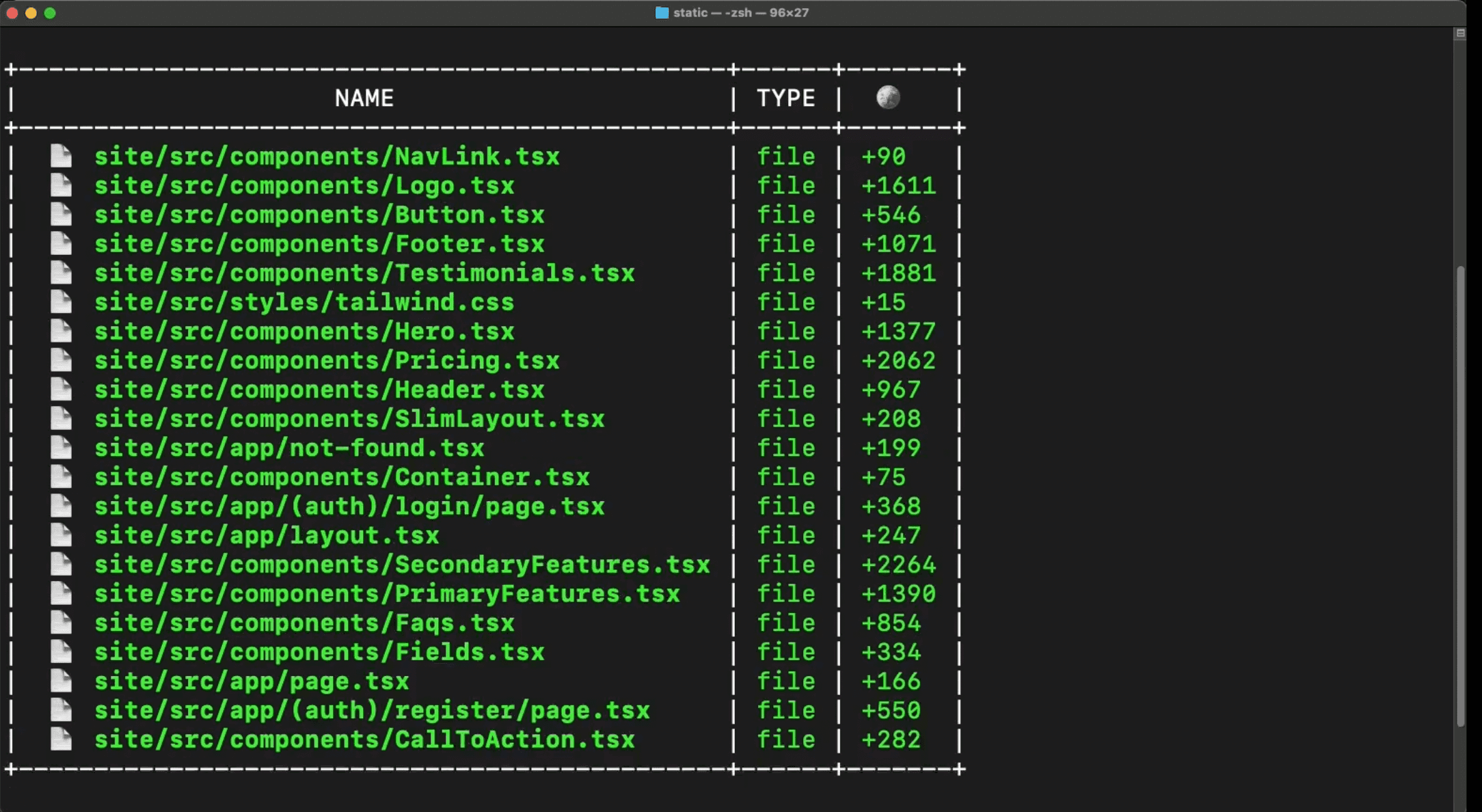
- Cumulative diff review sandbox — all AI-generated changes are staged and shown as diffs for human review before being applied to the filesystem
- Branchable plans with version control — branch a plan to try alternative approaches, roll back to any checkpoint, or merge changes incrementally
- Configurable autonomy modes — full-auto mode for continuous execution, or granular step-by-step mode with confirmation gates at each stage
- REPL interface with fuzzy auto-complete — run `plandex` in any project directory for a developer-friendly interactive session
- Multi-model support — Anthropic (Claude), OpenAI (GPT/o-series), Google (Gemini), and OpenRouter; different models assignable to different agent roles
- Self-hosted team server — multiple developers connect to a shared Dockerized Plandex server with shared plan history and context
- MIT license with one-line CLI install — zero-dependency binary installable on macOS, Linux, and Windows (via WSL)
Pros
- Purpose-built for large multi-file tasks — the only terminal agent designed from the ground up for 50+ file refactors and multi-step implementations
- Cumulative diff sandbox — all AI changes staged for review before application, making it unusually safe for serious production refactors
- Branchable plans with version control — try alternative approaches, roll back to checkpoints, and merge incrementally like using git for your AI sessions
- 2M direct token context window plus tree-sitter maps for 20M+ token codebases — no other terminal agent handles context at this scale natively
- Configurable autonomy from full-auto to step-by-step — gives developers exactly the level of oversight they want per task
- MIT license, zero-dependency one-line CLI install, self-hosted team server via Docker — maximum control with zero vendor lock-in
Cons
- Plandex Cloud began winding down October 3, 2025 and no longer accepts new users — self-hosting via Docker is now required
- No IDE plugin (VS Code integration was in development but not shipped as of mid-2026) — terminal-only workflow
- No MCP support, no connections to Slack, Jira, or other collaboration platforms — narrower integration ecosystem than Cline or Goose
- Windows only supported via WSL — not natively available in PowerShell or CMD
- Smaller community and maintenance team compared to Cline or Kilo Code — community-maintained without commercial backing after cloud wind-down
- Self-hosting requires Docker and a server — adds operational overhead compared to fully managed alternatives
Pricing
Plandex is completely free and MIT licensed. The CLI installs in one line with no dependencies. The server runs locally via Docker or can be deployed on any cloud provider (Railway, Render, your own VPS).
For model inference, you bring your own API keys from any supported provider (Anthropic, OpenAI, Google, OpenRouter) and pay provider rates directly with no markup from Plandex. OpenRouter is recommended as it gives access to all major providers from a single key.
Plandex Cloud (the original hosted service with centralized billing, multi-device usage, and no Docker setup required) began winding down on October 3, 2025 and no longer accepts new users. The self-hosted path is now the primary deployment option. For teams, running a shared Plandex server on Railway or a similar platform provides the equivalent of the original cloud experience with full data control.
Claim Verified Creator Badge
Are you the founder of Plandex? Display this listing's verified badge on your website to show your customers that your product has been vetted and listed on AI Central Resources.
<a href="https://www.aicentralresources.com/tool/plandex" target="_blank" rel="noopener">
  <img src="https://www.aicentralresources.com/badges/featured-badge-dark.svg" alt="Featured on AICentralResources" width="200" height="54" style="border: none;" />
</a>
* Place this HTML snippet in your website's footer, landing page, or press section. This creates a search-friendly backlink directly to your verification page.
Connect with Plandex
Frequently Asked Questions
Plandex is an open-source terminal-based AI coding agent designed specifically for large, multi-file, real-world software development tasks. It features a 2M token context window with tree-sitter project maps for codebases with 20M+ tokens, a cumulative diff review sandbox so changes are staged for human review before applying, branchable plans with version control and rollback, and configurable autonomy modes from full-auto to granular step-by-step.
Plandex Cloud started winding down on October 3, 2025 and no longer accepts new users. The reasoning from the maintainers: self-hosted deployment gives developers better privacy, control, and economics. Plandex continues as a fully functional self-hosted open-source project. Docker-based local mode and custom server deployment are the primary paths forward.
A plan in Plandex is a first-class object — every task gets its own plan with its own context, branches, conversation history, and pending changes. You can branch a plan to try alternative approaches, roll back to any checkpoint, or merge changes incrementally. This git-like plan versioning makes Plandex unusually safe for large refactors because you never lose work and can always inspect what changed before applying.
Plandex handles large codebases in two ways. It supports up to 2M tokens of direct context for files explicitly added to a plan. For even larger codebases, it uses tree-sitter project maps to build a structural index of directories with 20M+ tokens, letting the agent navigate and reason about the full codebase without loading every file into context at once.
Plandex supports Anthropic (Claude), OpenAI (GPT, o-series), Google (Gemini), and OpenRouter as model providers. By default it uses a mix of Anthropic, OpenAI, and Google models for different roles (planner, coder, summarizer, etc.). You can fully customize model selection per role using BYOK with any compatible provider.
Similar AI Tools to Plandex
View all alternatives of Plandex



OpenHands
The open platform for cloud coding agents — autonomous, transparent, and in your control

GitHub Copilot
AI pair programmer for code completion, chat, and autonomous coding agents

Compared with Plandex
Direct head-to-head feature matrices, pricing breakdowns, and real-world performance benchmarks