Kilo Code
Open-source AI coding agent — 500+ models, zero markup, any IDE
Gallery
6 items


About Kilo Code
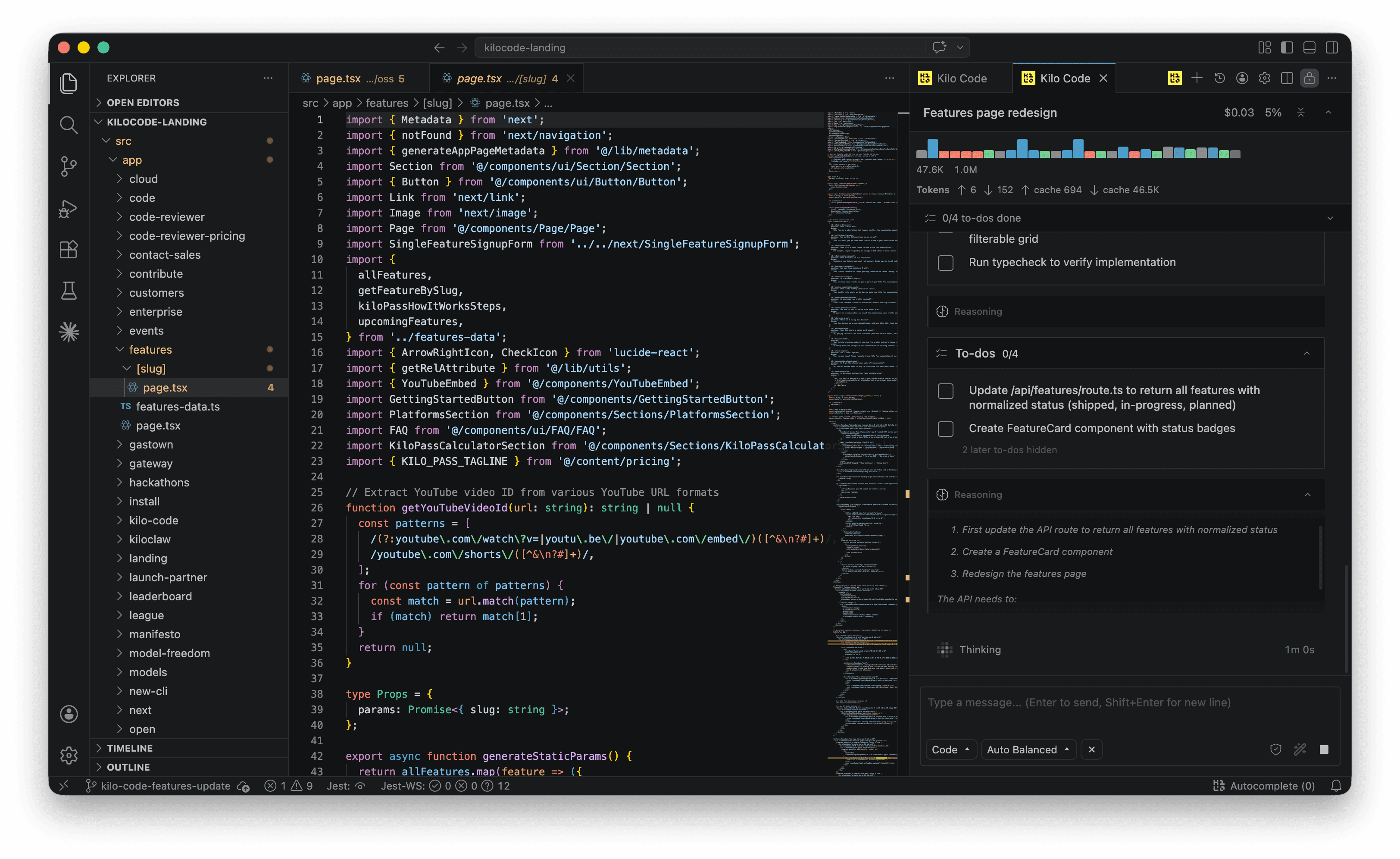
In my coding benchmarks of Kilo Code, its open-source coding agent connected to over 500 frontier and open-weights LLMs with zero API markup, executing multi-file edits and terminal commands across any major IDE. Having total model flexibility allows developers to switch between Claude, DeepSeek, and local Ollama models instantly. Setting up custom model providers requires bringing your own API keys and managing usage balances. Being 100% open-source with zero subscription markup, it is a magnificent, cost-effective alternative to closed commercial coding assistants.
Kilo Code is an open-source AI coding agent that runs inside VS Code, JetBrains IDEs, a CLI, cloud agents, and Slack. Launched in March 2025 as a fork of Roo Code (itself a fork of Cline, the original Claude Dev project), Kilo Code was co-founded by Sid Sijbrandij — who co-founded GitLab and served as its CEO — and Scott Breitenother, founder of data consultancy Brooklyn Data. The company raised $8M in seed funding in December 2025 from Cota Capital, General Catalyst, Breakers, Quiet Capital, and Tokyo Black. In July 2026, Kilo Code was acquired by Anaconda and rebranded from kilocode.ai to kilo.ai, continuing as an open-source product.
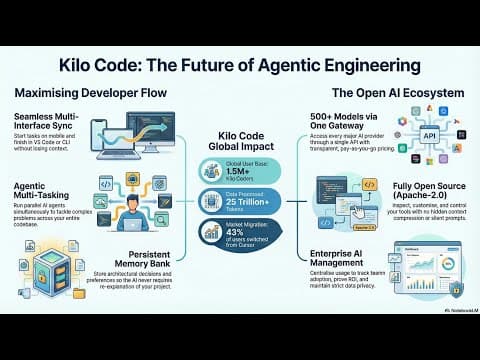
Kilo Code's core differentiator is 500+ AI models at provider-rate zero markup, accessed via BYOK or bundled through Kilo Pass (starting at $19/month). Its Orchestrator mode coordinates specialist sub-agents — Architect (system planning), Code (implementation), Debug (diagnosis), Ask (safe codebase exploration) — running in parallel across separate git worktrees for complex multi-step projects. A Memory Bank provides persistent project context across sessions. The MCP Marketplace lets users browse and install MCP servers for external tool integrations. When Roo Code archived its repository in May 2026, Kilo Code became the officially recommended migration path, inheriting Roo's 3M+ user base.
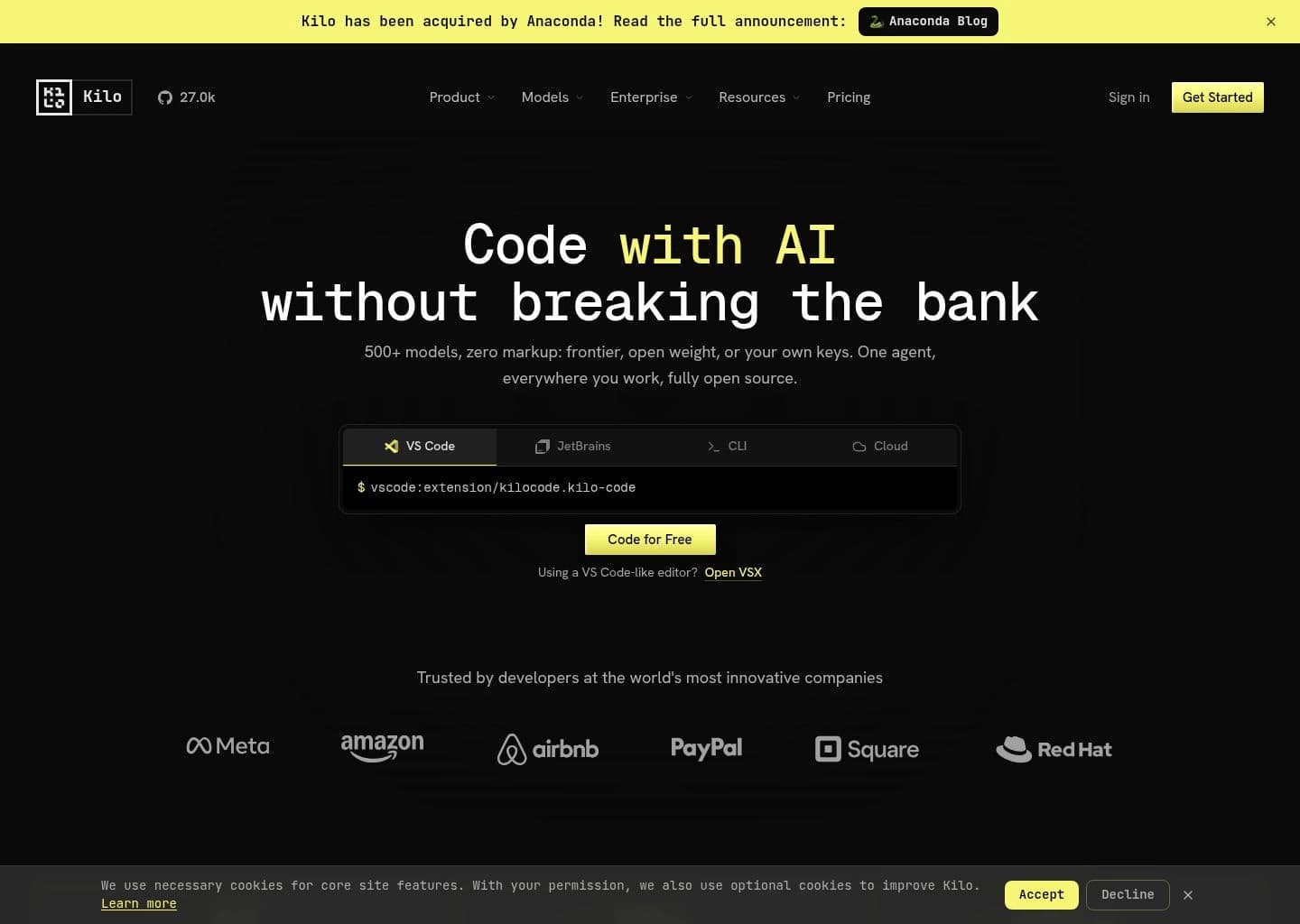
As of mid-2026, Kilo Code has 26.7K GitHub stars, 3M+ total downloads, and processes 40+ trillion tokens. It is trusted by engineering teams at Meta, Amazon, Airbnb, PayPal, Square, and Red Hat. A native JetBrains plugin (v7, rebuilt from scratch) launched in 2026 with tighter IDE integration than ACP-based alternatives, supporting JetBrains split mode for remote development. Kilo Code Reviewer provides automated PR review for GitHub and GitLab.
Key Features
- 500+ AI models across 60+ providers — Claude, GPT, Gemini, DeepSeek, Grok, Llama, Mistral, Qwen, MiniMax, local Ollama models — all at zero markup via BYOK or Kilo Pass
- Orchestrator mode — multi-agent coordination breaking complex tasks into subtasks delegated to Architect, Code, Debug, and Ask specialist sub-agents running in parallel
- Apache 2.0 open source with 26.7K GitHub stars — VS Code extension, native JetBrains plugin (v7 from scratch), CLI, cloud agents, and Slack bot
- Memory Bank — persistent project context across sessions storing architecture decisions, patterns, and team conventions so the agent never loses context
- Kilo Code Reviewer — automated AI PR review bot for GitHub and GitLab using full codebase context
- MCP Marketplace — browse, install, and manage MCP servers for external tool integrations directly within Kilo Code
- Teams features — centralized billing, team-wide custom agent modes, spending dashboards, model usage analytics, and admin controls
- 3M+ downloads across VS Code and JetBrains — 40+ trillion tokens processed; trusted by engineering teams at Meta, Amazon, Airbnb, PayPal, Square, and Red Hat
Pros
- 500+ models at zero markup — more model choices than any other coding agent, accessed at exact provider rates with full cost transparency
- Co-founded by Sid Sijbrandij (GitLab co-founder) — brings unique open-core expertise to building a sustainable open-source business model
- Roo Code's official recommended successor — absorbed 3M+ Roo Code users and is the most-used open-source coding agent by token volume (40T+)
- Native JetBrains plugin (v7, rebuilt from scratch) — not an ACP wrapper; full JetBrains SDK integration with split mode support
- Memory Bank for persistent cross-session context — the agent remembers architectural decisions without manual re-prompting
- Backed by General Catalyst and acquired by Anaconda — strong commercial backing for an open-source product
Cons
- Acquired by Anaconda in July 2026 — product direction and monetization may shift under new ownership
- Fork lineage (Cline → Roo Code → Kilo Code) means it inherits architectural decisions made by other teams rather than built from a single coherent vision
- 1,300+ open GitHub issues on a fast-moving repo — quality control can lag behind feature velocity
- Kilo Pass subscription credits expire after 30 days — unused credits are forfeited, unlike BYOK where you control timing
- Cloud agents and Slack bot features are newer additions with less maturity than the core VS Code extension
- GitLab held right of first refusal through August 2026 — acquisition by Anaconda resolved this but created M&A uncertainty during the period
Pricing
Kilo Code is free to install as an open-source Apache 2.0 extension. New users receive $20 in free credits on signup with no credit card required. After free credits, users can:
BYOK (free): Connect your own API keys from any of 60+ providers at exact provider rates with zero markup from Kilo. You pay LLM providers directly with full cost transparency shown per request.
Kilo Pass ($19/month and up): Bundled credits for access to hosted models managed by Kilo. Note: Kilo Pass credits expire 30 days after purchase.
Kilo Teams (custom per-seat pricing): Centralized billing, team-wide custom agent modes, spending dashboards, model usage analytics, admin controls, and MCP marketplace access. Enterprise pricing is custom with dedicated support SLAs.
The Kilo Code Reviewer (automated PR review for GitHub/GitLab) is available separately with its own pricing tier.
Claim Verified Creator Badge
Are you the founder of Kilo Code? Display this listing's verified badge on your website to show your customers that your product has been vetted and listed on AI Central Resources.
<a href="https://www.aicentralresources.com/tool/kilo-code" target="_blank" rel="noopener">
  <img src="https://www.aicentralresources.com/badges/featured-badge-dark.svg" alt="Featured on AICentralResources" width="200" height="54" style="border: none;" />
</a>
* Place this HTML snippet in your website's footer, landing page, or press section. This creates a search-friendly backlink directly to your verification page.
Connect with Kilo Code
Frequently Asked Questions
Kilo Code was founded in March 2025 as a fork of Roo Code (which was itself a fork of Cline). It was co-founded by Sid Sijbrandij, who co-founded GitLab and served as its CEO, and Scott Breitenother, founder of Brooklyn Data. The company raised $8M in seed funding in December 2025 led by Cota Capital with General Catalyst, Breakers, Quiet Capital, and Tokyo Black. In July 2026, Kilo Code was acquired by Anaconda and rebranded from kilocode.ai to kilo.ai.
Kilo Code offers $20 in free credits on signup with no credit card required, then BYOK (bring your own key) at exact provider rates with zero markup. Kilo Pass starts at $19/month for bundled credits. Teams plans add centralized billing, team modes, and admin analytics. Enterprise has custom pricing. The free extension install never expires.
Orchestrator mode is Kilo Code's multi-agent coordination system. It breaks complex projects into manageable subtasks and delegates them to specialized sub-agents: Architect mode for system planning and design, Code mode for implementation, Debug mode for diagnosis and fixes, and Ask mode for safe codebase exploration without editing files. All can run in parallel across separate git worktrees.
Yes. Kilo Code officially absorbed Roo Code's 3M+ user base after Roo Code archived its repo in May 2026. The Kilo team rebuilt the VS Code extension on the OpenCode portable server (shared with CLI and cloud agents), shipped GA on April 2, 2026, and offers official documentation for one-click migration from Roo Code.
Kilo Code supports 500+ models across 60+ providers via OpenRouter and direct BYOK: Claude (all Anthropic models), GPT and o-series (OpenAI), Gemini (Google), DeepSeek, Grok, Llama (Meta), Mistral, Qwen, MiniMax, GLM, and hundreds more. Free/local models via Ollama are also supported. A model comparison page at kilo.ai/models shows real-time benchmarks and per-token pricing.
Similar AI Tools to Kilo Code
View all alternatives of Kilo Code




GitHub Copilot
AI pair programmer for code completion, chat, and autonomous coding agents

JetBrains AI Assistant
AI coding assistance built natively into every JetBrains IDE
Compared with Kilo Code
Direct head-to-head feature matrices, pricing breakdowns, and real-world performance benchmarks