

Photomath
Scan math problems and learn how to solve them with guided steps
Gallery
5 items
About Photomath
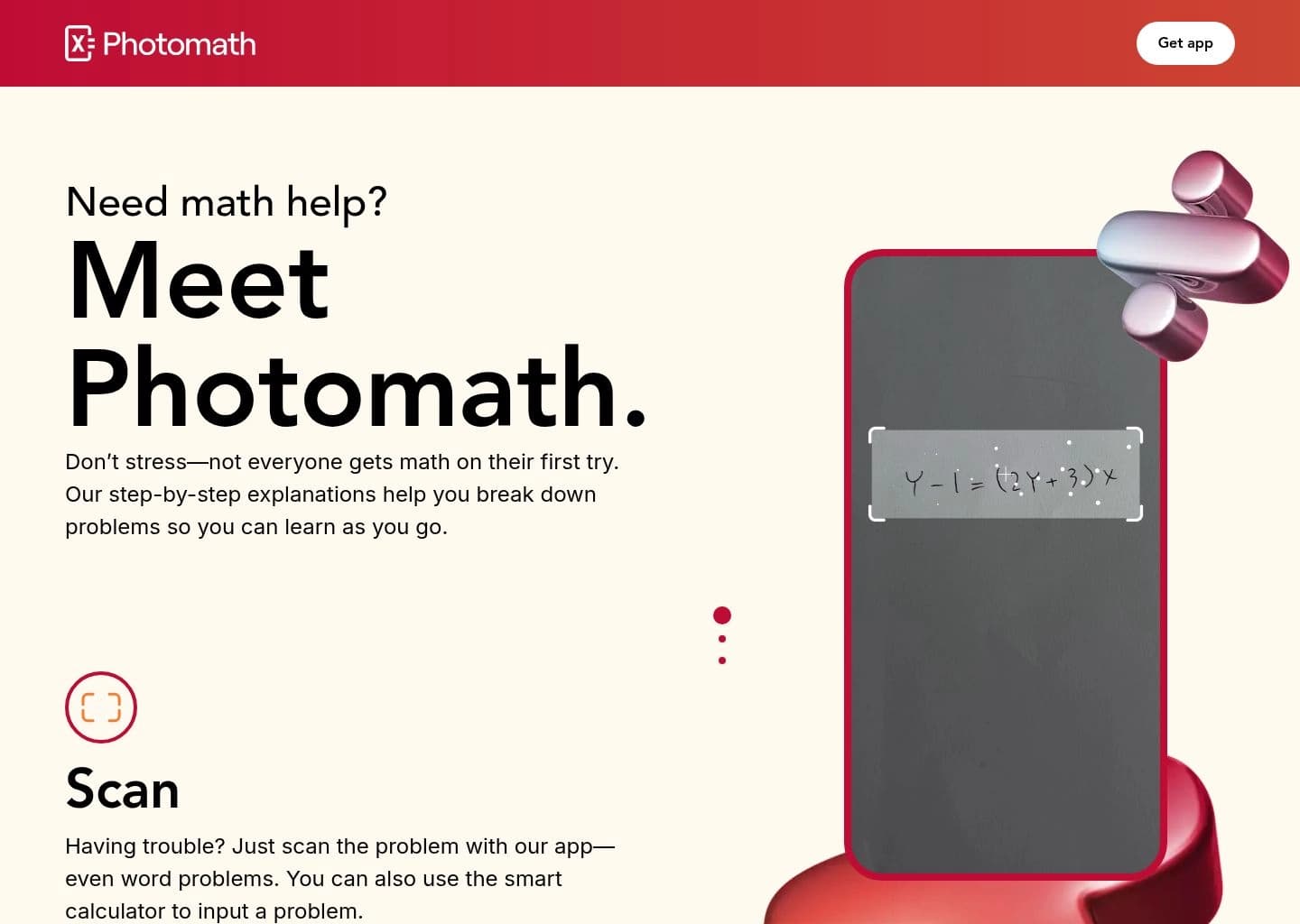
This is a research-based product assessment, not a hands-on accuracy benchmark. Photomath's documented workflow is unusually clear: scan a printed or handwritten exercise, let the app recognize the notation, then inspect a sequence of solution steps. The official product pages list coverage from elementary arithmetic through algebra, geometry, trigonometry, statistics, and calculus, while the help center explains that image recognition uses cloud processing before the solution system runs. The main strength is the emphasis on working, not just the final number. Basic includes step-by-step explanations, while Plus adds animated tutorials, custom visual aids, and contextual hints. The practical weak points are predictable for camera-based math recognition: unclear handwriting, ambiguous symbols, and low-quality photos can change the expression being solved. The premium tier is also required for some of the richer teaching aids, and subscriptions renew through the app stores unless canceled. Photomath is a strong fit for learners who need to understand a worked example or check a procedure after attempting a problem themselves. Students who only need occasional explanations can start with Basic; those who want animated concept tutorials may find Plus useful, but should compare its cost with free tools and classroom resources first.
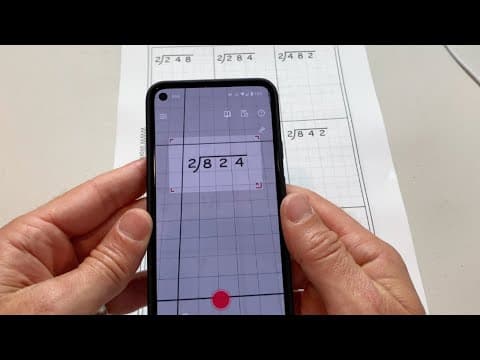
Photomath is a mobile math-learning app that uses a phone camera to read printed or handwritten math problems and return worked solutions. Users can also enter problems in its smart calculator, then follow the solution steps to understand how an answer is reached.
The app covers topics from elementary arithmetic through algebra, geometry, trigonometry, statistics, and calculus. Its free Basic experience includes step-by-step explanations for supported problems, while Photomath Plus adds features such as animated tutorials, custom visual aids, contextual hints, and deeper explanations. Photomath's help documentation says scanned problem images are processed using cloud computing before the app's problem-solving system generates the solution.
Photomath is aimed at students, parents, and teachers who want help understanding math procedures, checking homework, or reviewing a difficult example. It is best used as a learning aid: students should verify unfamiliar steps and avoid treating a generated answer as a substitute for practicing the underlying method.
Key Features
- Camera scanning for printed and handwritten math problems
- Smart calculator for manually entering expressions and equations
- Step-by-step worked solutions for supported problems
- Multiple solution methods for selected problems
- Coverage from elementary math through calculus and statistics
- Photomath Plus animated tutorials for visual explanations
- Contextual hints and deeper conceptual explanations with Plus
- Custom visual aids for selected premium lessons
Pros
- Camera-based input makes it quick to capture textbook and handwritten problems
- Free Basic tier includes step-by-step solutions for supported math
- Explains intermediate steps rather than returning only a final result
- Covers a wide range of school and introductory college mathematics
Cons
- The scan-to-solution workflow relies on cloud processing, so connectivity and image handling matter
- Handwriting, ambiguous notation, and poorly captured problems can be misread
- Animated tutorials and deeper explanations require a paid Plus subscription
- Subscription prices and trial offers can vary by app store and region
- A correct-looking answer does not guarantee that every intermediate interpretation is correct
Pricing & Plans
Photomath Basic is free and includes step-by-step solutions for supported equations, expressions, functions, and other math problems. A free trial may be offered with selected Plus subscriptions; the duration and eligibility are presented in the app and can vary by storefront or offer.
The official website currently lists Photomath Plus at $9.99 USD per month or $69.99 USD per year. The annual plan is billed upfront and is advertised as a 50% discount compared with paying monthly. Subscriptions are purchased through Apple App Store or Google Play billing, renew automatically unless canceled, and must be managed through the relevant store.
Claim Verified Creator Badge
Are you the founder of Photomath? Display this listing's verified badge on your website to show your customers that your product has been vetted and listed on AI Central Resources.
<a href="https://www.aicentralresources.com/tool/photomath" target="_blank" rel="noopener">
  <img src="https://www.aicentralresources.com/badges/featured-badge-dark.svg" alt="Featured on AICentralResources" width="200" height="54" style="border: none;" />
</a>
* Place this HTML snippet in your website's footer, landing page, or press section. This creates a search-friendly backlink directly to your verification page.
Frequently Asked Questions
Yes. Photomath Basic is free and includes step-by-step explanations for supported math problems. Photomath Plus is a paid subscription with additional learning features.
Photomath can scan printed and handwritten problems, although recognition depends on handwriting clarity, notation, lighting, and image quality.
The official website currently lists Plus at $9.99 per month or $69.99 per year in USD. App-store prices and promotions may differ by country.
Photomath lists elementary math, algebra, geometry, trigonometry, statistics, and calculus among its supported topics.
Yes. Basic provides step-by-step explanations for supported problems. Plus adds animated tutorials, contextual hints, and deeper explanations.
Similar AI Tools to Photomath
View all alternatives of Photomath

Wolfram|Alpha
Computational knowledge engine for math, science and data with step-by-step solutions

ChatGPT
Engage in dynamic conversations, debug code, and generate creative content with advanced AI.

Caktus AI
Your AI-powered academic co-pilot for essays, math, research & more.