AI Tool Comparison

Comparing as AI Productivity Tools
Shortwave vs ClickUp

Compare features, pricing, pros & cons, and user ratings to decide which AI tool is best for your needs.

Shortwave

Shortwave

VS
ClickUp

ClickUp

Core Differences

The fundamental difference lies in their core functionality. Shortwave is primarily an email client enhanced with AI features, built on top of Gmail or Google Workspace. ClickUp is a full-fledged project management and collaboration platform that integrates various tools like task management, document creation, and communication channels into a single environment. Shortwave focuses on improving the email workflow, whereas ClickUp aims to centralize and streamline all aspects of team collaboration and project execution.

Verdict by Category

Best for Email Management

Shortwave

Shortwave's AI capabilities are specifically designed to enhance email productivity, offering features like AI-powered organization and automated email drafting.

Best All-in-One Productivity Platform

ClickUp

ClickUp provides a comprehensive suite of tools for task management, document collaboration, and communication, making it a one-stop solution for teams.

Best for Customization

ClickUp

ClickUp's highly customizable interface and features allow teams to tailor the platform to their specific workflows and needs.

E

Editor's Take

Honest opinion from our review team

"
I found that Shortwave significantly reduced the time I spent managing my inbox. The AI-powered summaries and organization features were genuinely helpful. However, I was slightly limited by its reliance on Gmail. ClickUp, on the other hand, felt a bit overwhelming at first due to the sheer number of features. But once I got the hang of it, the level of customization was impressive. It truly felt like I could mold it to fit my specific workflow. The AI integration in ClickUp is powerful, but it's also an extra cost to consider.
"

Detailed Comparison

Feature
Shortwave
ClickUp
Pricing
FreemiumBusiness: $24 per seat/month, billed annually. Premier: $36 per seat/month, billed annually. Max: $100 per seat/month, billed annually. A free trial is available. Offers a free plan with standard search history and limited AI usage.
FreemiumClickUp offers a Free Forever plan with limited features. Paid plans start at $7 per user/month (billed yearly) for the Unlimited plan, $12 per user/month (billed yearly) for the Business plan, and custom pricing for the Enterprise plan. AI add-ons are available, with Brain AI at $9 per user/month and Everything AI at $28 per user/month.
Pricing Verdict
Both Shortwave and ClickUp offer freemium models, making them accessible to individual users and small teams. Shortwave's paid plans focus on unlocking more advanced AI features and search history. ClickUp's pricing is tiered based on the number of users and the level of functionality required. ClickUp's AI add-ons are priced separately, which can increase the overall cost if you need comprehensive AI capabilities. Shortwave's free plan is more limited in AI usage compared to ClickUp's free plan functionality, but ClickUp's AI features require an additional cost. ClickUp's *Unlimited* plan at $7/user/month (billed yearly) provides a strong value proposition for teams needing more than the free tier, while Shortwave's *Business* plan costs $24/user/month (billed annually).
Categories
AI Productivity ToolsAI Writing Assistant ToolsAI Business & Finance Tools
AI Productivity ToolsAI No-Code / Automation ToolsAI Marketing Tools
Summary
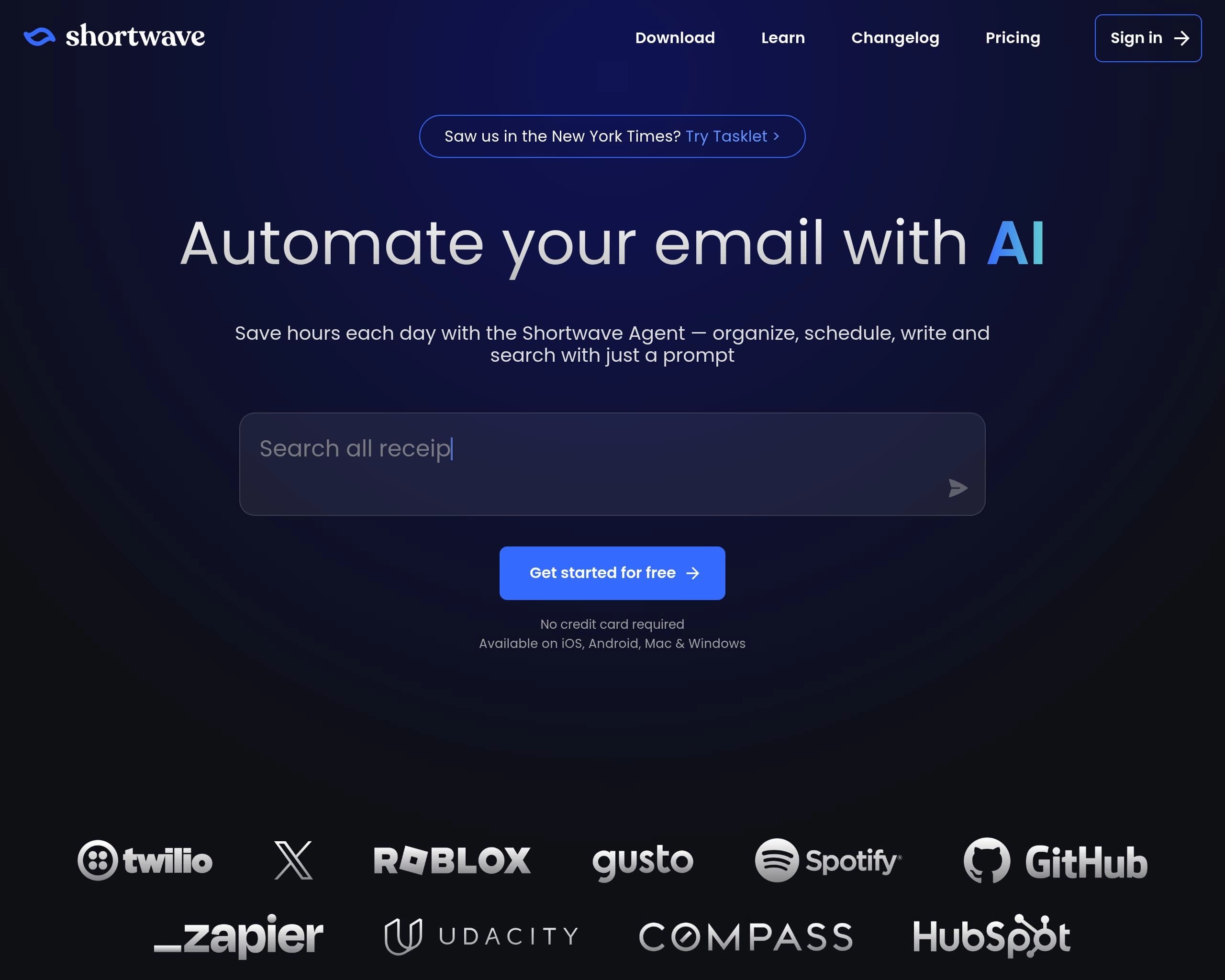
Automate your email with AI
The all-in-one AI work platform to maximize your productivity
Shortwave

Shortwave Pros & Cons

Pros

  • Saves time by automating email tasks
  • Enhances team collaboration through shared threads and comments
  • Improves inbox organization with AI-powered filters and bundles
  • Integrates with other productivity tools for seamless workflows
  • Offers a free plan for basic use

Cons

  • Advanced features require a paid subscription
  • Relies on Gmail or Google Workspace accounts
  • May require a learning curve to fully utilize all AI features
  • Accuracy of AI summaries and suggestions may vary
  • Limited customization options compared to traditional email clients
ClickUp

ClickUp Pros & Cons

Pros

  • Comprehensive all-in-one platform
  • Highly customizable to fit any workflow
  • Strong AI-powered features for automation and insights
  • Offers a free plan for basic use
  • Integrates with 1,000+ other tools
  • Excellent customer support and onboarding resources

Cons

  • Can be overwhelming due to the extensive feature set
  • Steep learning curve for new users
  • Advanced AI features require a paid subscription
  • Customization options may require significant setup time
  • Mobile app functionality can be limited compared to the web version

AI Verdict

Shortwave and ClickUp both leverage AI to boost productivity, but they tackle different aspects of workflow. Shortwave is laser-focused on email management, using AI to organize inboxes, draft emails, and automate email-related tasks. Its strength lies in streamlining communication and making email less of a time sink. It's especially beneficial for users deeply embedded in Gmail or Google Workspace.

ClickUp, on the other hand, is an all-in-one work platform that incorporates AI across various facets of project management, task tracking, document collaboration, and communication. It aims to be a central hub for all work-related activities, reducing app switching and fostering team collaboration. ClickUp is a better fit for teams that need a comprehensive solution to manage projects, tasks, and documents in one place.

The key differentiator is scope: Shortwave specializes in AI-driven email automation, while ClickUp offers a broader AI-enhanced productivity suite. If your primary pain point is email overload, Shortwave is the better choice. If you need a holistic solution for managing all aspects of work, ClickUp provides a more comprehensive platform.

Frequently Asked Questions

QDoes Shortwave work with email providers other than Gmail?

Currently, Shortwave primarily works with Gmail and Google Workspace accounts.

QCan ClickUp's AI features be used on the free plan?

No, ClickUp's advanced AI features require a paid subscription, with AI add-ons priced separately.

QIs there a learning curve associated with using ClickUp?

Yes, ClickUp has a steeper learning curve due to its extensive feature set and customization options, but the platform offers robust onboarding resources.

QHow does Shortwave handle email security and privacy?

Shortwave adheres to industry-standard security practices and privacy policies to protect user data. It integrates with Gmail's existing security infrastructure.

QWhat integrations does ClickUp offer?

ClickUp offers a wide range of integrations with over 1,000 other tools, including popular platforms like Slack, Google Drive, and Zoom.