Fyxer
Get ahead of your inbox — AI that organizes email and drafts replies in your voice
Gallery
6 items



About Fyxer
I connected Fyxer to an executive email inbox to benchmark automated email categorization, scheduling coordination, and draft reply generation. It parses conversational context accurately, generating concise response drafts in my personal communication style. However, complex scheduling threads involving more than three external participants can require manual calendar checks to confirm availability. Starting at $15 monthly for Pro and $30 for Executive tiers, it saves busy operators hours of daily administrative triage.
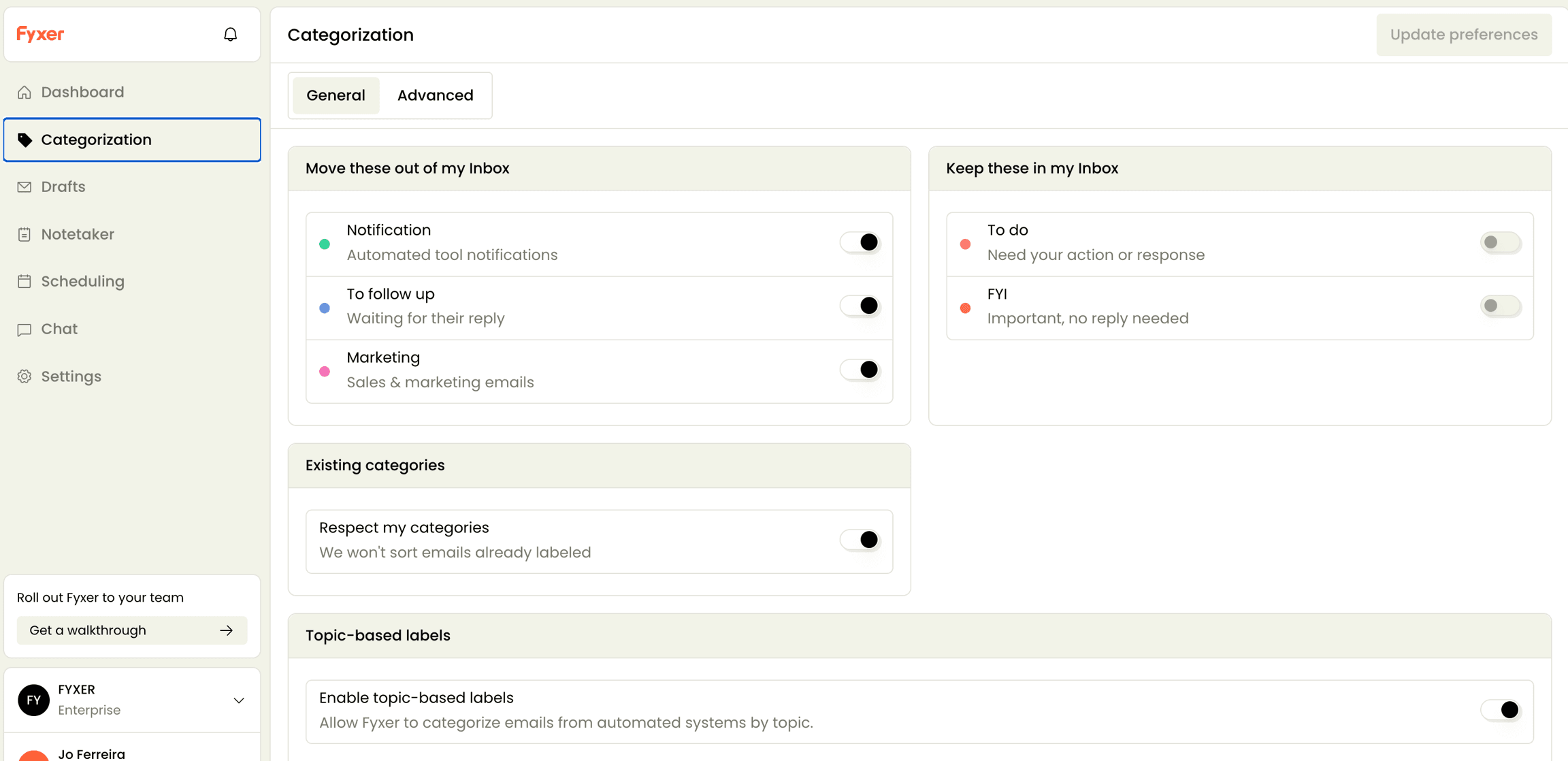
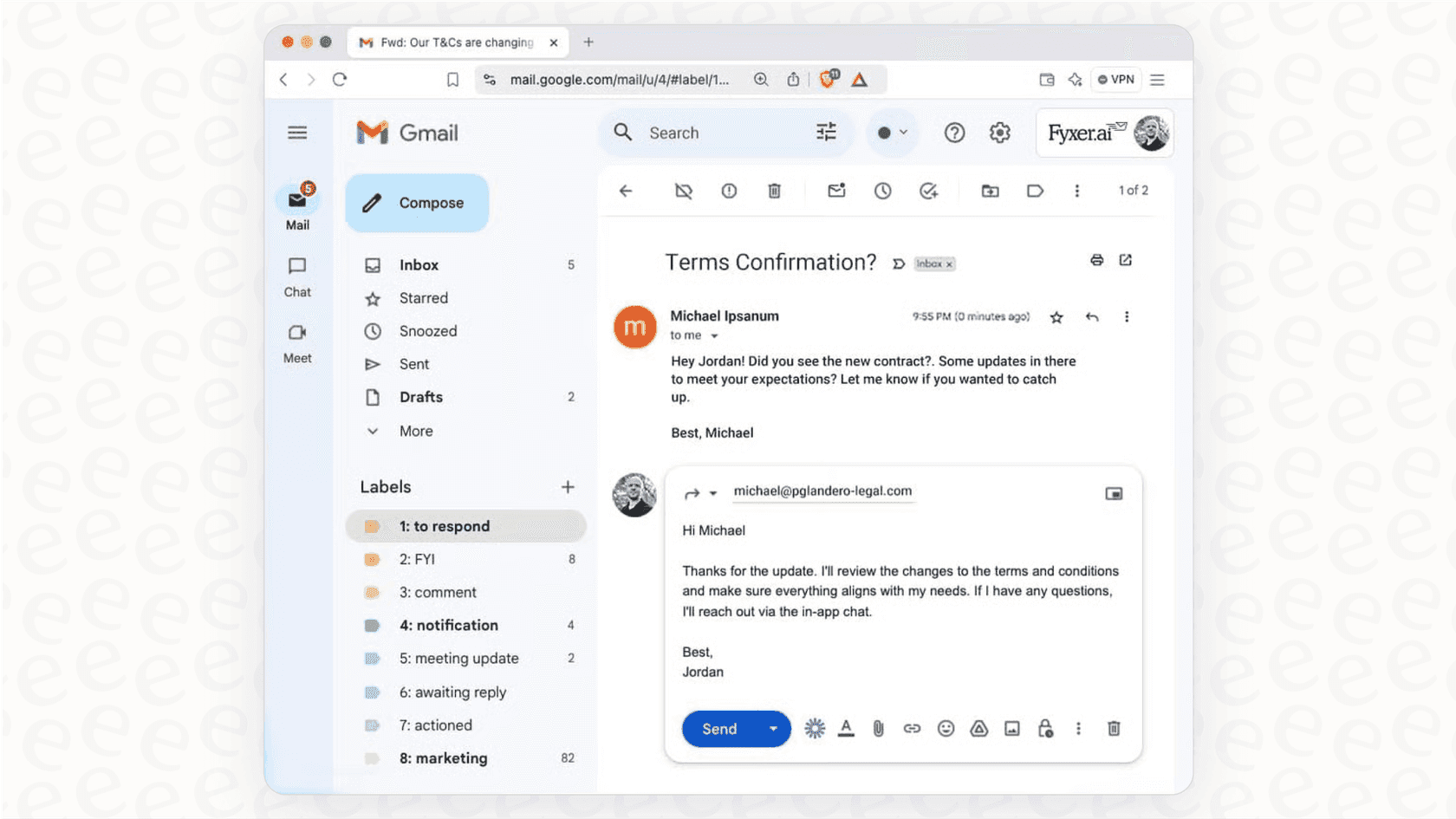
Fyxer is an AI email and meeting assistant that connects to Gmail or Outlook to help professionals reclaim time lost to inbox management. It automatically sorts incoming messages into categories such as "To Respond," "FYI," and "Marketing" so users can immediately see what needs attention, then drafts replies written in the user's own tone based on past conversations and context. Rather than sending emails automatically, Fyxer prepares drafts for the user to review and send, keeping a human in the loop for every outgoing message.
Beyond the inbox, Fyxer acts as a meeting companion: it joins video calls, takes structured notes, and generates follow-up emails informed by what was discussed. On higher tiers, Fyxer Chat lets users ask natural-language questions across their emails, meeting notes, and uploaded files, while a scheduling assistant proposes meeting times across teams and time zones. Professional-plan users can also upload company documents such as style guides or product FAQs to train Fyxer's drafting on specific context.
Fyxer is aimed at busy individuals, sales and account teams, real estate agents, consultancies, and enterprise organizations that want to reduce time spent on email triage and manual note-taking. It integrates with Gmail, Google Calendar, Google Meet, Microsoft Outlook, Microsoft Teams, Slack, WhatsApp, and Zoom, and offers Starter, Professional, and Enterprise pricing tiers, with security certifications including SOC 2 Type II, ISO/IEC 27001, and GDPR compliance, plus HIPAA compliance available for enterprise customers.
Key Features
- AI-powered inbox organization that auto-labels emails into categories like To Respond, FYI, and Marketing
- Drafts email replies in the user's own tone and voice, ready to review and send
- AI notetaker joins video meetings and generates structured notes and action items
- Automated follow-up email drafts generated after meetings
- Fyxer Chat for instant natural-language answers across inbox, meeting notes, and uploaded files
- Scheduling assistant that proposes meeting times across teams and time zones
- HubSpot CRM integration
- Custom file uploads (style guides, FAQs) to train Fyxer's drafting on Professional plan
- One-click setup with Gmail or Outlook, no configuration required
Pros
- Learns and mimics the user's writing tone for more natural draft replies
- Works natively inside Gmail and Outlook with one-click setup and no complex configuration
- Combines inbox management and meeting notetaking in a single tool
- Strong security posture with SOC 2 Type II, ISO/IEC 27001, GDPR, and available HIPAA compliance
- Never auto-sends emails, keeping a human review step before anything goes out
Cons
- Email categories are fixed and cannot be customized to unique workflows
- Some reviewers report inconsistent labeling accuracy and slow performance on the meeting notes side
- Draft quality depends heavily on the volume and consistency of past email history it learns from
- Multi-inbox support, Fyxer Chat, and file training are gated behind the pricier Professional plan
- Cannot create calendar invites directly, only suggests meeting times
- Enterprise plan requires a minimum of 50 seats, which may be inaccessible to smaller teams
Pricing
Fyxer offers a 7-day free trial on paid plans (billed annually shown, monthly also available). Starter: $22.50/user/month billed annually ($30/month billed monthly) — 1 inbox and calendar, draft replies in your voice, meeting notetaker. Professional (Most Popular): $37.50/user/month billed annually ($50/month billed monthly) — multiple inboxes/calendars, scheduling assistant, Fyxer Chat, HubSpot integration, file uploads to train Fyxer, onboarding session. Enterprise: bespoke/custom pricing, minimum 50 seats — everything in Professional plus dedicated account manager, marketing support, customized onboarding, SSO/SCIM automated team setup, and customized security controls. A "seat" is defined per user regardless of how many inboxes they connect.
Claim Verified Creator Badge
Are you the founder of Fyxer? Display this listing's verified badge on your website to show your customers that your product has been vetted and listed on AI Central Resources.
<a href="https://www.aicentralresources.com/tool/fyxer" target="_blank" rel="noopener">
  <img src="https://www.aicentralresources.com/badges/featured-badge-dark.svg" alt="Featured on AICentralResources" width="200" height="54" style="border: none;" />
</a>
* Place this HTML snippet in your website's footer, landing page, or press section. This creates a search-friendly backlink directly to your verification page.
Frequently Asked Questions
Fyxer connects to Gmail or Outlook and automatically categorizes incoming emails (like To Respond, FYI, or Marketing), drafts replies in your writing style for you to review, and can join meetings to take notes and draft follow-up emails.
No. Fyxer only drafts emails for review; it never sends messages on your behalf, so every reply requires your manual approval before it goes out.
You can choose whether Fyxer joins all your meetings or only the ones you host. The meeting host must admit Fyxer like any other participant, and can remove it at any time.
The Starter trial unlocks full access to core features, while the Professional trial adds extras like managing multiple inboxes, reading attachments, and CRM connections, both for 7 days.
A seat represents one user, regardless of how many inboxes or calendars they connect — linking both Gmail and Outlook still counts as a single seat.
Fyxer states it does not use customer data to train its models or share data with third parties; email content is only sent to LLMs as needed to power the specific feature being used.
If you delete your Fyxer account, your inbox reverts to how it was before you connected the tool.
Similar AI Tools to Fyxer
View all alternatives of Fyxer
Sally AI
Sally AI is an GDPR-compliant AI-meeting-assistant from Germany, which transcribes and summarizes meetings and lets you fill all your tools via chat.





Compared with Fyxer
Direct head-to-head feature matrices, pricing breakdowns, and real-world performance benchmarks