AI Tool Comparison

Comparing as AI Productivity Tools
Notion AI vs Superhuman

Compare features, pricing, pros & cons, and user ratings to decide which AI tool is best for your needs.

Notion AI

Notion AI

VS
Superhuman

Superhuman

Core Differences

The fundamental difference lies in their scope and integration. Notion AI is an AI layer *within* the Notion ecosystem. Superhuman is a standalone AI productivity suite *integrating* with various external applications (e.g., Gmail, Slack, Coda). Notion AI enhances existing Notion workflows, while Superhuman aims to streamline workflows across your entire digital life.

Verdict by Category

Best for Existing Notion Users

Notion AI

Notion AI provides seamless integration and enhances workflows directly within the Notion workspace.

Best for Cross-Platform Productivity

Superhuman

Superhuman's 'Go' assistant and integrations offer AI assistance across multiple applications and services.

Best Free Tier

Superhuman

Superhuman's free tier offers a wider range of AI assistance across multiple applications compared to Notion AI's limited trial on free plans.

E

Editor's Take

Honest opinion from our review team

"
I found that Notion AI felt like a natural extension of my existing Notion workflow. The AI writing assistance was surprisingly helpful, and the Enterprise Search significantly sped up information retrieval. However, I did notice a slight learning curve in fully utilizing all the AI features. Superhuman, on the other hand, felt more like a command center for my entire digital life. The 'Go' assistant was genuinely helpful, and the integrations with Gmail and Slack were seamless. If I weren't already a heavy Notion user, I'd likely lean towards Superhuman for its broader applicability.
"

Detailed Comparison

Feature
Notion AI
Superhuman
Pricing
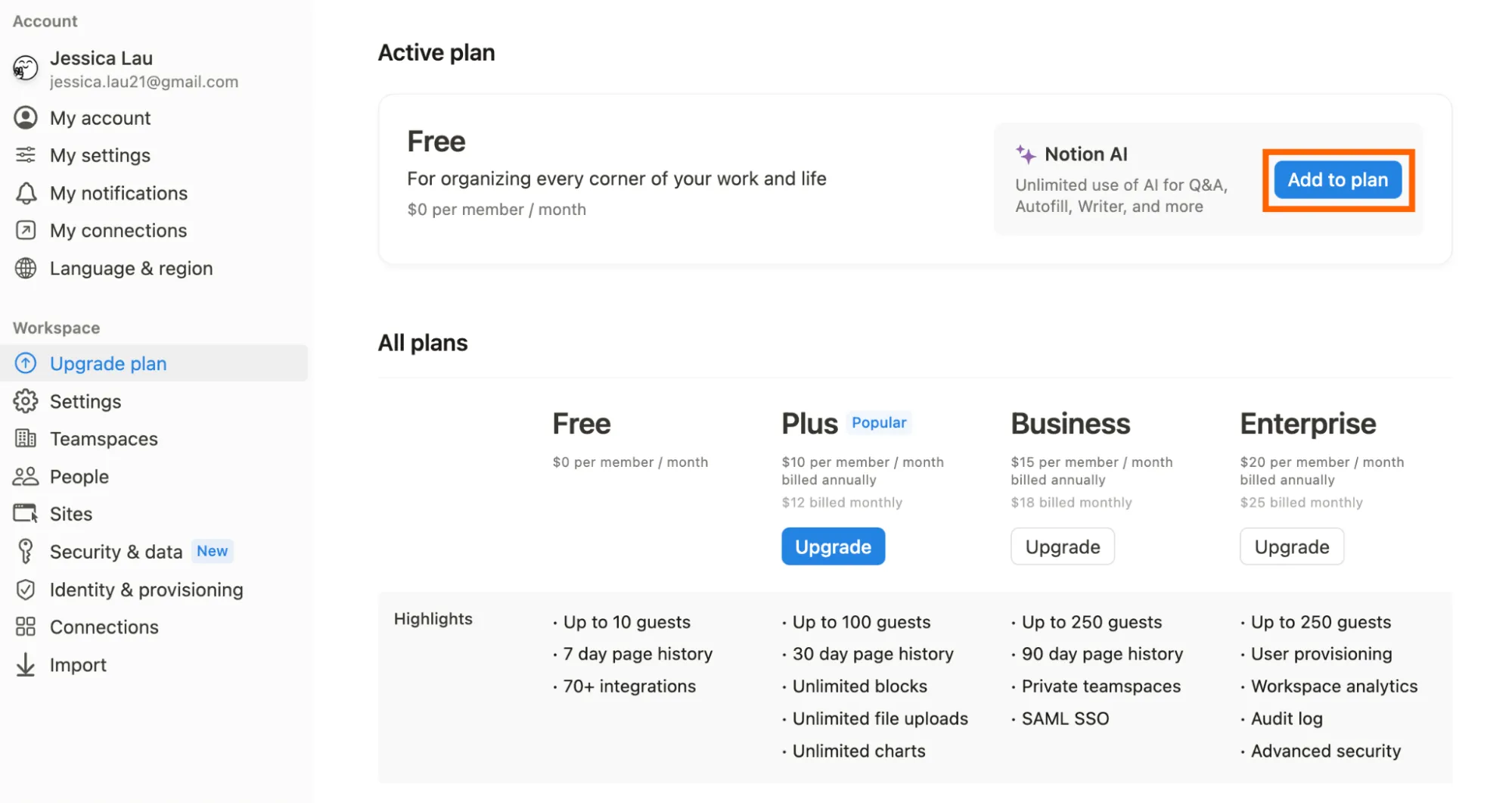
FreemiumNotion AI is included with Notion’s Business and Enterprise plans. Custom Agents are free to use on Business and Enterprise plans until May 3, 2026, after which they will cost $10 per 1,000 credits. Limited trial usage is available on Free and Plus plans.
FreemiumFree: AI assistance in favorite apps. Pro: $12/member/month (billed annually), or $30 when billed monthly. Business: $33/member/month (billed annually), or $40 when billed monthly. Enterprise: Custom pricing, contact sales.
Pricing Verdict
Notion AI's full access requires a paid Notion subscription (Business or Enterprise plans). While Custom Agents are initially free, they will eventually cost $10 per 1,000 credits. This pricing model favors users who are already paying Notion subscribers. Superhuman offers a tiered pricing structure with a free plan that provides AI assistance in favorite apps. The Pro and Business plans unlock more advanced features and integrations. The value proposition depends on the extent to which you utilize Superhuman's cross-platform AI capabilities. Individuals needing broad AI support might find Superhuman's pricing more attractive, while teams heavily invested in Notion may prefer Notion AI's integrated approach.
Categories
AI Productivity ToolsAI No-Code / Automation ToolsAI Search Engines
AI Productivity ToolsAI Writing Assistant ToolsAI No-Code / Automation Tools
Summary
Your AI-powered workspace for teamwork.
AI productivity suite for creative and impactful work.
Notion AI

Notion AI Pros & Cons

Pros

  • Seamless integration within the Notion workspace
  • Automates repetitive tasks, freeing up time for more strategic work
  • Enhances team collaboration and knowledge sharing
  • Provides a centralized hub for work and information
  • Offers enterprise-grade security and compliance features

Cons

  • Requires a paid Notion subscription for full access
  • Custom Agents are priced separately using Notion credits
  • Can be a learning curve to fully utilize all AI features
  • Reliance on the quality of data within the Notion workspace
  • Potential for AI to misinterpret instructions or generate inaccurate content
Superhuman

Superhuman Pros & Cons

Pros

  • Saves time by automating repetitive tasks
  • Enhances communication through AI-driven writing assistance
  • Streamlines workflows with proactive AI assistance
  • Centralizes team knowledge and collaboration
  • Integrates with a wide range of existing tools and platforms
  • Offers a suite of AI tools for various productivity needs

Cons

  • Business and Enterprise plans required for full access to all features
  • Steep learning curve to master all the features of the suite
  • Requires a subscription for advanced AI capabilities
  • Limited functionality in the free plan
  • May require significant setup and customization to integrate with existing workflows

AI Verdict

Notion AI and Superhuman both aim to boost productivity using AI, but they take fundamentally different approaches. Notion AI is deeply integrated within the Notion workspace, enhancing its existing note-taking, project management, and knowledge management capabilities. It excels at automating tasks within Notion, generating content, and providing enterprise search, making it ideal for teams already invested in the Notion ecosystem. A key differentiator is its model-agnostic architecture, offering flexibility in choosing AI models.

Superhuman, on the other hand, is a standalone AI productivity suite that integrates across various applications like email, document creation, and communication platforms. Its strength lies in its proactive AI assistant, "Go," which provides contextual help and connects to numerous apps, streamlining workflows across different platforms. Superhuman is particularly well-suited for individuals and teams who want to enhance productivity across their entire digital workspace, not just within a single application. While both offer AI-powered writing assistance and task automation, Notion AI focuses on internal Notion workflows, while Superhuman extends its reach across a broader range of applications and services.

Ultimately, the choice depends on your workflow. If Notion is your primary workspace, Notion AI is a natural extension. If you need AI assistance across multiple applications, Superhuman offers a more comprehensive solution. Both offer freemium models, allowing users to test their capabilities before committing to a paid subscription. Both platforms allow for custom AI agents, but Notion AI will begin charging per credit after May 2026.

Frequently Asked Questions

QDo I need a Notion subscription to use Notion AI?

Yes, full access to Notion AI requires a paid Notion subscription (Business or Enterprise plan). Limited trial usage is available on Free and Plus plans.

QCan Superhuman integrate with all my existing apps?

Superhuman integrates with a wide range of popular apps like Gmail, Outlook, Slack, Jira, and Salesforce. It also supports integration with 800+ tools via Zapier and other platforms.

QHow does Notion AI's model-agnostic architecture benefit me?

The model-agnostic architecture allows you to switch between different AI models and providers, giving you flexibility and control over the AI technology you use within Notion.

QIs Superhuman only for email management?

No, while Superhuman Mail is a key feature, Superhuman offers a suite of AI tools for various productivity needs, including document creation, workflow automation, and meeting management.

QWhat happens to the Custom Agents in Notion AI after May 3, 2026?

After May 3, 2026, Custom Agents in Notion AI will cost $10 per 1,000 credits. They are currently free to use on Business and Enterprise plans until that date.